
Based on several months of running real multi-agent systems. Every pattern was added because something broke when it was missing.
One AI agent is useful. So you add a second, then a third, and things start to drift out of control:
- Agent A and Agent B edit the same file at the same time
- One API goes down, three agents retry aggressively, and the bill explodes
- A sub-agent finishes, disappears quietly, and nobody knows whether it succeeded or failed
The core problem is usually the collaboration layer, not AI itself.
The five patterns below have been tested repeatedly in production-like workflows. Together, they let an AI team actually work as a team.
First, the Big Picture: What Does a Multi-Agent System Look Like?
A typical multi-agent system looks like this:
        🎯 Orchestrator
                │
        ┌───────┼───────┬─────────┐
        ▼       ▼       ▼         ▼
   🔧 Executor A  🔧 Executor B  🔍 Reviewer   📁 Shared filesystem
        │       │           │
        └───────┴───────────┴──→ 📁 Shared filesystem
Key architecture traits:
| Trait | Description |
|---|---|
| Hierarchical control | One orchestrator coordinates everything |
| Stateless executors | Receive task, execute, report, exit |
| Files as communication | All state lives in files |
| No lateral conversation | Executors do not talk directly to each other |
Why this shape? Most AI tools currently provide stateless sub-agents. They do not have persistent memory or a built-in way to talk to other agents. The file system is the only reliable collaboration mechanism.
Pattern 1: File Blackboard
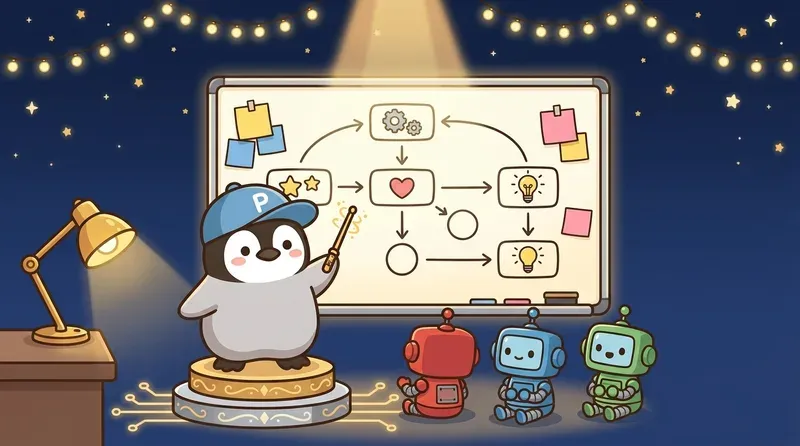
All agents communicate through files, not messages. The file system is the message bus.
Problem
Three agents need to collaborate, but they:
- Have no memory: every invocation is fresh
- Are isolated from each other: no built-in communication channel
- Can disappear at any time: sessions can drop without warning
Solution: Treat the File System as a Blackboard
workspace/
  status.md          ← Project status (only the orchestrator can change this)
  tasks/
    task-001.md      ← Task envelope (instructions for the executor)
    task-002.md
  artifacts/
    task-001-out.md  ← Executor output
    task-002-out.md
  checkpoints/
    checkpoint.json  ← Crash recovery
Access Rules
The core rule is simple: only the orchestrator can write global state. Executors can write only to their assigned output locations.
Why Files?
| Alternative | Problem |
|---|---|
| Shared memory | Everything disappears when an agent crashes |
| Message queue | Overkill for a single-machine setup |
| Database | Most AI tools are smoother with text files |
| Agent-to-Agent API | Almost no platform supports this yet |
Files are useful because they are inspectable (open and read them), durable (survive session drops), and versionable (put them in git and you get history).
Pattern 2: Task Envelope

Do not just tell a sub-agent “do X.” Give it a structured task package.
Problem
Spawn a sub-agent and say “analyze this data,” and it may:
- Analyze the wrong fields
- Run 50 tool calls when 5 would have been enough
- Finish with “analysis done” but not in the requested format
Solution: Package Every Task as an Envelope
## Task: analyze-q1-data
- **Goal**: Summarize Q1 revenue trends
- **Acceptance criteria**: Output includes trend direction, top 3 drivers, and confidence level
- **Input**: data/q1-revenue.csv (quarterly revenue by product line)
- **Output location**: artifacts/analyze-q1-data.md
- **Budget**: At most 5 tool calls
- **Stop condition**: If the data file is missing or malformed, stop and report back
What Belongs in the Envelope?
| Field | What happens without it |
|---|---|
| Goal | The agent guesses what you want |
| Acceptance criteria | Output quality is uncontrolled |
| Input | The agent may read the wrong file or scan the whole directory |
| Output location | Nobody knows where the result went |
| Budget | The agent explores forever and burns money |
| Stop condition | It gets stuck on errors and does not report back |
Lightweight vs Full Version
Not every task needs a full envelope. Simple rule:
- Can finish within 3 steps → verbal instruction is enough
- Touches external APIs or multiple files → use a lightweight envelope (goal + input + output)
- High-risk or high-cost → full envelope, including budget and stop conditions
Pattern 3: Circuit Breaker

Track consecutive failures per API. Trip after three, wait, then probe once.
Problem
An agent calls an API and hits 429 (rate limit). It retries, then retries again. A second agent is also retrying, so now two agents are hammering the same API and making the rate limit worse. A third agent switches to the backup provider, and that gets overwhelmed too.
This is a Retry Storm, one of the fastest ways to burn budget in a multi-agent system.
Solution: Three-State Circuit Breaker
| State | Behavior | Transition |
|---|---|---|
| CLOSED (normal) | All calls proceed normally | 3 consecutive failures within 60 seconds → OPEN |
| OPEN (blocked) | Calls fail immediately without execution | Wait 5 minutes → HALF-OPEN |
| HALF-OPEN (probe) | Allow one call through | Success → CLOSED; failure → OPEN with doubled cooldown |
Which Errors Should Trip the Breaker?
Not all errors are equal:
| Error type | Trip breaker? | Reason |
|---|---|---|
| 429 (rate limit) | ✅ | Continuing only makes it worse |
| 503 (service unavailable) | ✅ | The other side is down |
| Network timeout | ✅ | Connectivity usually does not fix itself in one second |
| 401 (auth failure) | ❌ | Configuration problem; fix the token instead of waiting |
| 400 (bad request) | ❌ | A bug; retrying will not help |
A Real Pitfall
Silent proxy failure: the API proxy went down, and every request returned the same generic error. Agents kept retrying because the error looked temporary.
Lesson: if the exact same error appears several times in a row, trip the breaker no matter what the status code is. Identical consecutive errors mean systemic failure.
Pattern 4: HITL Escalation

Knowing when to ask a human is one of the most important capabilities of an AI system.
Three Escalation Levels
| Level | Risk | Agent behavior | Example |
|---|---|---|---|
| 🟢 Autonomous | Low, reversible | Do it directly | Read files, write drafts, run tests |
| 🟡 Notify | Medium, important milestone | Do it, then notify the human | Commit code, update status |
| 🔴 Gate | High, irreversible | Stop and wait for approval | Push to production, send messages, delete data |
Key Metric: Escalation Rate
The ideal escalation rate is 10-15%:
- Too low (< 5%) → AI is doing high-risk things without notification. Dangerous.
- Too high (> 30%) → the human becomes the bottleneck and automation loses meaning.
- 10-15% → most work is automated, important work still has human oversight.
Information Format for Escalation
When an agent escalates to a human, do not just say “uncertain.” Provide the full decision packet:
## Decision Needed

**Context**: Deploying a new version to production
**Issue**: All tests pass, but one warning is related to memory usage
**Options**:
  A. Deploy as usual (the warning has not caused problems historically)
  B. Fix the warning before deployment (estimated delay: 2 hours)
  C. Deploy to staging and observe for one day

**Recommendation**: Choose A, because [reason]
**Waiting for reply...**
Pattern 5: Model Selection

Use expensive models for thinking and cheaper models for execution. Reverse that and you waste money.
The Binary Rule
The core cost-control rule for multi-agent systems:
- Needs judgment (strategy / analysis / review) → expensive model
- Does not need judgment (writing code / formatting / scraping data) → cheaper model
Common Setup
| Role | Model tier | Reason |
|---|---|---|
| Orchestrator | Expensive | It makes all important decisions. Saving here loses globally |
| Code writer | Cheap | Output can be validated with tests |
| Code reviewer | Expensive | Needs to catch what others missed |
| Data collector | Cheap | Mechanical scraping + formatting |
| Data analyst | Expensive | Interpretation, pattern finding, judgment |
| Test runner | Cheap | Result is pass/fail; no creativity needed |
| Format converter | Cheapest | Pure data transformation |
80/20 Cost Rule
Four changes save most multi-agent cost:
- Model tiering (expensive thinks, cheap executes) → biggest impact
- Pass paths, not content (let the agent read files itself) → saves tokens
- Compress completed phases (keep one-sentence summaries) → saves tokens
- Set budget caps in task envelopes → avoids outliers
Summary: How the 5 Patterns Relate
These patterns are not independent. They form one operating system:
| Pattern | Problem solved | Without it |
|---|---|---|
| File Blackboard | How agents communicate | State conflicts, lost data |
| Task Envelope | How tasks are assigned clearly | Uncontrolled quality, runaway budget |
| Circuit Breaker | What to do when APIs fail | Retry storms, exploding bills |
| HITL Escalation | When to ask a human | High-risk actions without oversight |
| Model Selection | Which model to use | All-expensive wastes money; all-cheap collapses quality |
Getting Started
Minimum viable order:
- Create a shared directory (
workspace/status.md+tasks/+artifacts/) - Package the first task in an envelope (not the full version; goal + input + output is enough)
- Add a circuit breaker (track API failures in a JSON file)
- Decide which actions need human approval (start with anything affecting external systems)
After these four steps, you have a working multi-agent collaboration system.
For the full pattern docs, code templates, and more field examples, I packaged the material as an open-source repo:
👉 Orchestration Playbook on GitHub
MIT licensed. Use it freely.
Further Reading
- Multi-Agent Development Workflow
- Developing Algorithms with an AI Team
- Claude Code + Codex Collaboration Playbook
- OpenClaw Multi-Agent Architecture
- AI Agent Self-Healing
Penchan’s Take
The Opus / Sonnet / ChatGPT three-agent setup on OpenClaw grew these five patterns one failure at a time. In the early versions, two agents edited the same file and the state got messy; when an API failed, three agents retried together and the bill jumped immediately. After shared state moved into the file system, tasks became envelopes, APIs got circuit breakers, and important operations went through a human gate, the whole system stabilized. Model tiering came later, using expensive models for command and cheaper ones for execution, and saved more tokens than expected.