




Claude has become a mainstream choice for long-form writing in 2026. The reason is simple: it listens better. If you tell it not to write a conclusion, it really will not. If you ask for a specific output format, it follows more often than other models. This article covers the three model roles, plan differences, Chinese ability, and how to split work with ChatGPT.
TL;DR: Claude is Anthropic’s AI assistant. Its four models (Fable 5/Opus/Sonnet/Haiku) have different roles. Pro suits most people, Fable 5 suits the hardest tasks (included during the promo), and Sonnet suits daily use. Taiwan can use it directly without a VPN.
One update: Anthropic released Claude Fable 5 on June 9, 2026. It sits above the Opus class and is the most capable Claude available to the public (full introduction in What Is Claude Fable 5). The model-choice section below already includes it; the exact models available to your account should still follow the Claude interface or Claude Code’s /model display.
What Is Claude?
Claude is an AI assistant made by Anthropic. Many of Anthropic’s founders came from OpenAI, so Claude has been compared with ChatGPT from the beginning.
The differences between the two will be covered later. First, Claude itself.
You can create an account at claude.ai and use the Sonnet model for free. The interface is conversational, similar to ChatGPT. Type a question, and it answers.
Claude’s real strength becomes obvious when you start caring about output quality: for the same 3,000-word article, ChatGPT may need more than 40% revision, while Claude may need only 15-20%. Over a week, the time saved is substantial.
How to Choose Between the Four Models
For general users, Claude has four models with different roles.
Fable 5: The Capability Ceiling
Fable 5, released June 9, 2026, sits above the Opus class; Anthropic says its capabilities “exceed those of any model we’ve ever made generally available.” It shares the same underlying model as Mythos 5, which is restricted to vetted cybersecurity and biomedical professionals; the difference is a safety layer: prompts in sensitive areas get answered by Opus 4.8 instead (Anthropic says more than 95% of sessions never trigger it).
The first 48 hours of outside signals line up: benchmark provider Artificial Analysis ranked it #1 overall in intelligence, and Andrej Karpathy called it “a major-version-bump-deserving step change,” especially for long, difficult problem-solving. The cost is real: API pricing is double Opus 4.8, and subscription quota burns noticeably faster.
Best for: the hardest, longest tasks and long-horizon agent workflows. It is included in paid plans during the promo through June 22, so it is worth trying now. Full introduction in What Is Claude Fable 5.
Opus: Flagship
Opus 4.8 is the latest flagship of the Opus line, and the strongest option that does not need extra credits inside subscription plans. The current Claude mainline is Fable 5 / Opus 4.8 / Sonnet 4.6 / Haiku 4.5. Anthropic released 4.8 on May 28, 2026, positioned for complex reasoning, long-horizon agentic coding, and high-autonomy workflows; even after Fable 5 arrived, Anthropic still suggests starting with Opus 4.8 when unsure. For general users, the point is simple: complex reasoning, long-form writing, and code review remain steadiest and most cost-effective on Opus.
Practical scenarios: strategy planning, complex code audits, long article writing. Response quality is indeed one tier above Sonnet, but it is slower and costs more.
Best for: long-form writing, analysis, tasks requiring deep reasoning.
Sonnet: Daily Default
Sonnet 4.6 remains the main model most people use most often. The balance between speed and quality is strong. Daily Q&A, code writing, summaries, and translation are all enough. Think of it as Claude’s default workhorse: give most tasks to Sonnet, then switch to Opus only when truly stuck.
Reasonable split: send 80% of tasks to Sonnet, and switch to Opus only when deep thinking is required.
Best for: daily Q&A, coding, summaries, translation.
Haiku: Lightweight and Fast
Haiku 4.5 is the fastest model, with responses that feel almost instant. Its ability is close to Sonnet, but the cost is much lower, making it suitable for high-frequency simple tasks.
Best for: bulk classification, simple summaries, formatting, batch processing.
For a more detailed comparison, see Claude Opus vs Sonnet Comparison.

Fable 5 / Opus / Sonnet / Haiku Decision Table
| Task | Recommended model | Why |
|---|---|---|
| Hardest and longest tasks, long-horizon agents, maximum capability | Fable 5 | The public capability ceiling; quota burns fast, so test during the promo |
| Long-form drafts, strategy, complex code review | Opus | Best instruction following, long-form stability, and deep reasoning |
| Daily Q&A, summaries, general coding, translation | Sonnet | Best speed-quality balance and the daily workhorse |
| Classification, formatting, lightweight batch tasks | Haiku | Fastest option for high-volume low-risk work |
| Multi-agent workflows | Opus + Sonnet mix | Opus handles strategy and review; Sonnet handles execution and batch work |
This is the core conclusion of Claude Opus vs Sonnet: do not send every task to Opus, and do not hand high-risk judgment to Sonnet just to save quota. The steadier pattern is to split strategy and execution.
Plan Comparison
Claude currently has four personal plans (plus Team / Enterprise). Prices follow Anthropic’s official information; here the focus is the feature differences and practical feel.
| Plan | Monthly price | Available models | Usage | Special features |
|---|---|---|---|---|
| Free | $0 | Sonnet / Haiku | about 10-20 messages per 5-hour window | Artifacts, Memory, Projects |
| Pro | $20 | more Claude models (including Opus; Fable 5 during the promo) | Pro usage | Cowork, Research, Claude Design |
| Max 5x | $100 | all | 5x Pro | Claude Code, for heavy developers |
| Max 20x | $200 | all | 20x Pro | people running Claude Code all day |
(Prices are in USD and should follow Anthropic’s official pricing page.)
API note: Opus 4.8 keeps the same pricing as 4.7: US$5 input / US$25 output per 1M tokens in standard mode; US$10 input / US$50 output in fast mode. Fable 5 is US$10 input / US$50 output, double Opus 4.8.
How Fable 5 is billed on subscriptions: June 9-22, 2026 is the promo window; it is included on Pro, Max, Team, and some Enterprise plans (consuming normal plan quota; Free is excluded). From June 23, Fable 5 is no longer included; continued use requires usage credits billed at standard API rates, and Anthropic sells discounted credit bundles (for example $50 face value for $45).
The table intentionally does not hard-bind plan rows to minor model versions. Anthropic updates specific model names, but the Free / Pro / Max split usually does not change at the same speed.
Practical advice: start with the free version. If you hit limits two or three times a day, or need Opus, upgrade directly to Pro. Max 5x is for heavy users who use it every day with large volume; Max 20x is for extreme users who keep Claude Code running automation all day.
The full free-plan guide is in Claude Free Plan Guide.
The free plan is not a crippled “chat only” version. It includes Sonnet / Haiku, Artifacts, Memory, Projects, file uploads, and chat history. The real bottlenecks are usage and Opus: the free plan usually gets around 10-20 messages per five-hour window, and long file uploads or heavy tool use consume it faster. If you use fewer than 10 turns a day, stay free. If you hit limits daily or need Opus’s long-form stability, upgrade to Pro.
Chinese Ability
Many Taiwan users care about this: Claude’s Traditional Chinese is very good.
Several dimensions:
- Sentence fluency: natural, without machine-translation feel
- Word choice: leans toward Taiwan usage, rarely produces mainland wording
- Long-form quality retention: quality does not drop much even above 3,000 words
- Taiwan context understanding: answers about Taiwan are usually correct
Opus’s Chinese quality is another step above Sonnet. If the main use is Chinese writing, Opus is recommended.
Compared with ChatGPT, Claude’s Chinese is more “stable.” ChatGPT sometimes suddenly switches into Simplified Chinese usage. Claude has much less of this problem.
Feature Highlights
Artifacts
Artifacts let Claude embed independent content blocks inside responses, such as code, charts, and documents. You can edit, copy, and preview directly inside them.
Common Artifacts outputs: tables, comparison diagrams, code snippets. It saves the process of copying a response into another tool and adjusting the format.
Projects
Projects is available on Pro and above. It lets you put related chats and files under one project and set project-specific instructions.
A practical use: create one Project for each writing project, and put style guides, references, and prior conversation records inside. Every new conversation automatically brings in that context.
This is a bit like CLAUDE.md in Claude Code, but Projects operates in the web interface and does not require writing files.
Comparison With ChatGPT
The most frequently asked question.
| Item | Claude | ChatGPT |
|---|---|---|
| Instruction following | strong, does what you ask | medium, sometimes acts on its own |
| Creative ideation | medium | strong, many ideas |
| Long-form quality | high, stable structure | medium, easily loses focus |
| Chinese ability | strong, natural Traditional Chinese | medium, occasional Simplified Chinese |
| Ecosystem | smaller | large, many plugins |
| Image generation | not supported | supported (GPT Image) |
Practical split: Claude writes long-form; ChatGPT ideates. Claude listens better, while ChatGPT has more ideas but can be hard to control. See the full matchup in Claude vs ChatGPT.
Taiwan User Guide
Taiwan users can directly access claude.ai without a VPN.
Registration flow:
- Go to claude.ai and click “Sign up”
- Register with a Google account or email
- Complete email verification
- Start using it
Taiwan credit cards can be used directly for paid plans.

Extra note: Claude’s servers are overseas, so occasional latency happens. If responses suddenly slow down, it is usually the API side being busy. Wait a bit; it is not a network problem.
A Practical Way to Use It
Writing: give all long-form first drafts to Claude Opus. Provide an outline, style guide, and reference examples. It produces a draft, then you revise.
Analysis: when receiving a long report or technical document, send it to Claude for summary and key extraction. Opus is especially strong here.
Translation: Chinese-English translation. Claude’s Chinese output is much more natural than Google Translate and needs very little major revision.
Code: daily code review, bug fixes, and test writing are enough on Sonnet. Switch to Opus only for truly complex architecture discussion.
With Claude Code, most of these things can be done directly in Terminal without switching to the web version.
Penchan’s Take
Penchan treats Claude as the main daily AI tool, about half of total AI usage time. Long-form writing, CLAUDE.md rule setting, and planning/review inside Claude Code all go to it. Its writing style feels the most comfortable among all tools Penchan has used, and that impression has not changed for a year.
For model switching, because Penchan subscribes to Max, the habit used to be 100% Opus, with Sonnet helping on coding, data pulls, and image reading when needed. On Fable 5 launch day Penchan switched the Claude Code default over to try it; first impressions match the community consensus: noticeably better stamina on long tasks, but quota burns fast, so test it yourself during the promo before committing.
For Chinese writing, Claude is currently the steadiest by feel. Give it a style guide with twenty rules, and it can follow almost all of them. A 3,000-word article keeps the same tone from start to finish. Other models start drifting in the middle of long-form output.
Further Reading
- What Is Claude Fable 5
- What Is Claude Mythos
- Claude Opus vs Sonnet Comparison
- Claude Free Plan Guide
- Claude Code Complete Guide
- Claude vs ChatGPT
- Claude Design Hands-on
Claude Ecosystem Extension
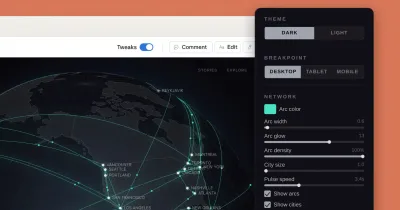
Claude Design is better understood as an accelerator from idea to demo, not Claude’s main capability and not a full Figma replacement. Its correct place in this hub is ecosystem extension: Claude web handles long-form and knowledge work, Claude Code handles Terminal / agentic development, and Claude Design handles early prototypes and visual demos.
— Penchan