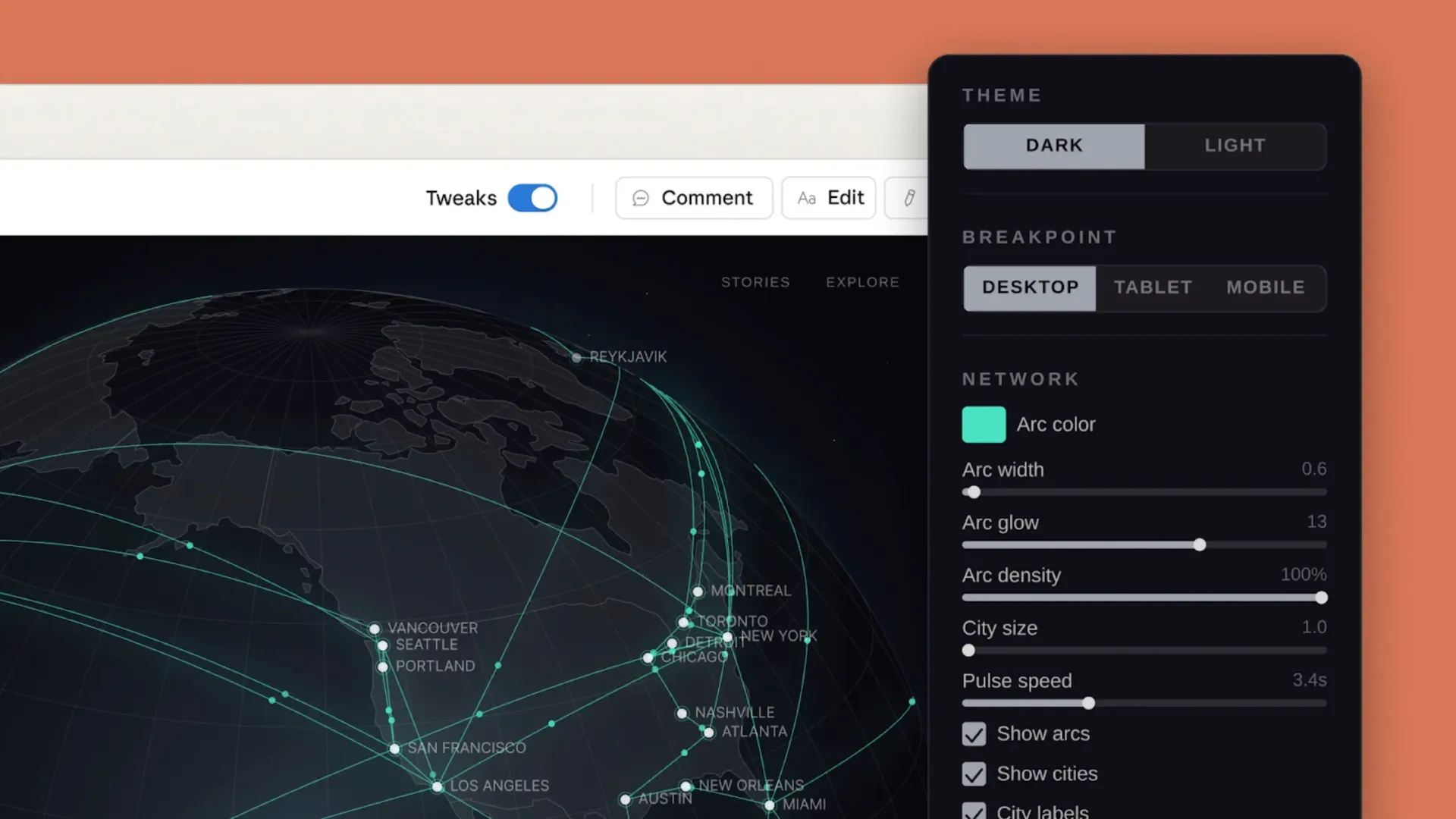
Anthropic launched Claude Design on April 17, 2026: an experimental tool that lets users generate websites, slides, and prototypes from prompts. Within 24 hours of the official announcement, it had more than 100K likes on X, Figma’s stock fell 9% that day, and the community immediately started playing the “It is so over” meme.
This article organizes Claude Design’s positioning, actual workflow, and how it differs from existing tools like v0, Lovable, and Figma Make. The notes come from the official announcement, community hands-on posts, and developer discussions.
Two Minutes to a Website Is Real
Claude Design’s biggest value is compressing the time from idea to demo. It is not trying to replace anyone. Its role is an accelerator.
The typical community workflow looks like this: drop in the website concept you want, including topic, assets, color preferences, and layout expectations; press generate; two minutes later, you get a runnable React site with a hero section, category tags, and a content grid.
For people building their first website, this can feel like a rescue tool. In the past, you had to draft a wireframe in Figma, ask a designer to make the palette, then ask an engineer to write the code. The whole chain might take a week. Claude Design compresses that part into under ten minutes.
It Pushes the Development Workflow Forward
Before Claude Design, building a website with Claude Code usually meant thinking through colors, modules, navigation, and structure in your head, then slowly stacking it up in code. You had to simulate the visual feel mentally, which adds cognitive load.
With Claude Design in the loop, a practical workflow becomes:
- Generate the base structure in Claude Design first. Align the palette, layout, and modules up front
- Export the files. A full site or wireframe both work
- Send it back to Claude Code for details. Animation, interaction, and data wiring happen here
The two tools pass the baton. Claude Design handles “visual imagination,” and Claude Code handles “functional implementation.” Each does what it is good at. I cover Claude Code details in Complete Claude Code Tutorial.
It also supports Figma import. If you already have a Figma file, you can import it directly and keep going. For teams with existing design assets, the entry barrier is low.
The Downside: The Output Still Needs Human Finishing
There is still a gap between “it runs” and “it looks good.” Should the color be a little grayer? Is the title weight right? How should hover states behave? Does the spacing rhythm feel smooth? AI still does not reliably close these details.
The developer community’s phrasing is accurate: “This tool has a lot of bugs right now, but it shows the direction.” Designers have similar feedback: the design-system upload feature is strong, but the generated UI often feels half-finished and needs another human pass.
In other words, Claude Design can help produce an 80-point starting point. Getting from 80 to 95 still needs human judgment. Without web design experience, the generated result may have that awkward “something is off, but I cannot name it” feeling.
One Tip: Use AI to Write the Prompt for AI
If you have no idea how to write a Claude Design prompt, ask another AI first, whether Claude, ChatGPT, or Gemini: “Please write a complete design prompt for building an X-type website in Claude Design, including colors, fonts, layout, and interaction details.”
Paste the resulting prompt back into Claude Design, and the output quality improves noticeably. The logic is simple: a clear, structured prompt improves AI generation quality far more than repeatedly tweaking inside the tool. Ten minutes of prompt prep can save half an hour of polishing. I cover prompt writing in Complete Prompt Engineering Guide.
How It Differs from v0, Lovable, and Figma Make
The current community consensus:
- v0.dev: Strong visual taste and speed, good for brand prototypes. The output looks strong, but you stay in the Vercel ecosystem.
- Lovable: Early ideas take shape quickly, but maintainability is weak and it can turn into a vibe-coded pile of debt.
- Bolt.new: Fast frontend work, slightly weaker full-stack integration.
- Figma Make: Designer-oriented collaboration tool. Pixel-perfect control is fine, but the connection to code is weaker.
- Claude Design: Strong at “understanding what you want” and “design-system integration.” It uses the Opus 4.7 vision model, so it does not just generate code; it understands first, then generates. The handoff to Claude Code is smooth.
Developer community observation: the biggest difference between Claude Design and v0 / Lovable is the starting point. v0 puts the emphasis on producing code. Claude Design puts the emphasis on “understand first.” Over long-term use, a tool that understands user intent feels very different from a tool that simply generates objects from commands. For a related comparison, see Claude Code vs Cursor.
Will Figma Die?
On launch day, Figma’s stock fell 9%, and the community spammed the “It is so over” meme. From a product-positioning angle, that was an overreaction.
Figma’s strengths are collaboration and pixel-perfect control. Designers, PMs, and engineers can look at the same file, leave comments, and hand off specs. Claude Design does not currently touch that part.
A more realistic script: Figma’s role shifts from “the starting point of design” to “the relay station of design.” Claude Design takes part of the starting point, but Figma still has room in refinement, collaboration, and handoff.
The key is Anthropic’s broader layout. Put Claude Design into the full production line:
- Design (Claude Design): idea to demo
- Code (Claude Code): demo to production
- Agent (Claude API): automation after production launch
That is a complete creation pipeline. Figma, Lovable, and Vercel each defend one part. Anthropic is aiming at the whole chain.
Where It Fits
Based on community testing:
- Good fits: early idea-to-demo work, wireframes for customer alignment, quick internal-tool prototypes, and small demo illustrations for blog posts
- Poor fits: final brand websites, pages that require pixel-perfect control, and interactions that need complex animation
It is an accelerator, not the endpoint. Treat it as a Figma replacement and you will be disappointed. Treat it as a time-saving tool from 0 to 1 and it feels smooth.
What I Will Watch Next
Anthropic’s Labs line has been shipping new things recently, including Imagine, Skills, and Agent SDK. Claude Design is only one of them. The important thing to watch is integration between these tools: how smooth it is to send Design output into Code, and how Code output later flows into Agent.
When that whole line really starts running, independent developers and small teams will get another productivity step-up.
Further Reading
- Complete Claude AI Tutorial
- Complete Claude Code Tutorial
- Claude Code vs Cursor
- Complete Prompt Engineering Guide
Penchan’s Take
Claude Design is not in my daily workflow yet. This article is organized from product positioning, community hands-on posts, and the official announcement, so I am not presenting it as a first-hand review. For hard-earned notes on the tools I actually use every day, see Complete Claude Code Tutorial and Complete Prompt Engineering Guide.
— Penchan