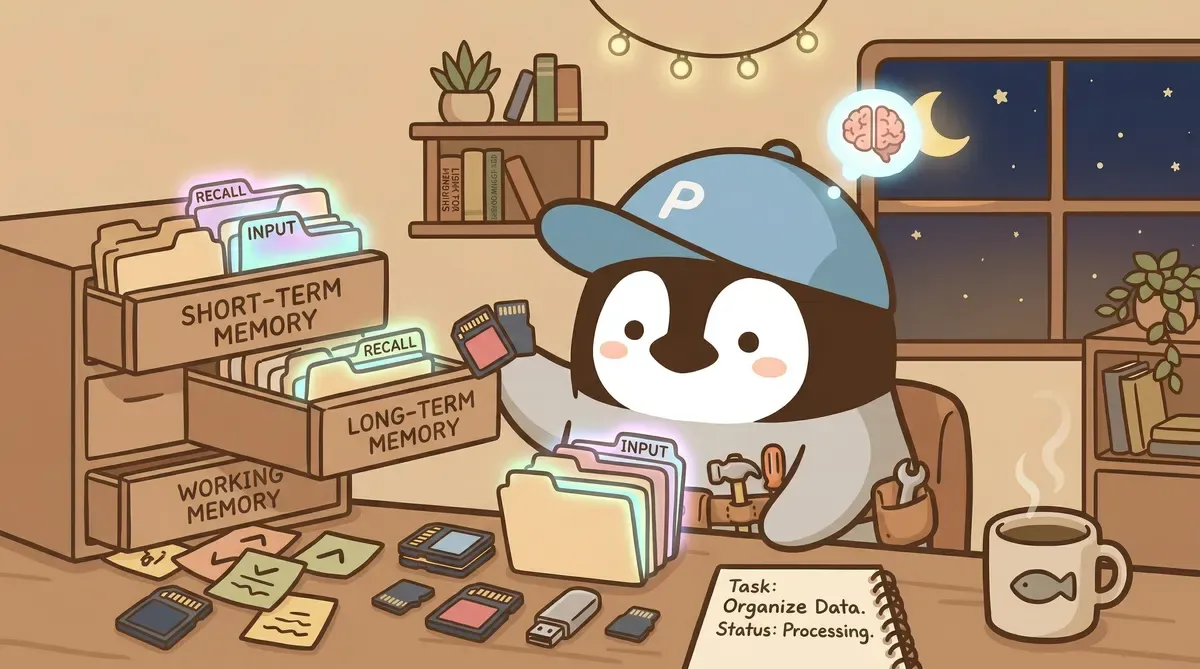
AI Agent memory management is one of the biggest factors deciding whether an agent is useful. Anyone who runs agents long-term eventually hits the memory pit: the agent forgets who it is, whom it helps, and what it did before. Every new conversation feels like onboarding a brand-new hire from zero.
Below is the memory architecture I settled on after three months of stepping on traps. The point is not terminology; it is design principles.
TL;DR: the core of memory management is “keep every file short” and “make location itself the index.” Do not rush toward vector search. Clean up the file structure first.
Why AI Agents Forget
Language models do not have real memory.
Claude, ChatGPT, same story: every conversation begins as a blank page. The model “remembers the user” only because something injects information into the prompt before the conversation starts.
That “something injected” is the agent’s memory system.
The problem is the context window, the maximum amount of text a language model can process at once. Claude Opus natively reaches 1M tokens, which sounds huge, but system prompt, tool definitions, conversation history, and memory files add up quickly into tens of thousands of tokens.
What happens after that? The model starts ignoring earlier content. Carefully written safety rules and behavior guidelines may get “pushed out” in a long conversation. The Agent’s behavior starts drifting.
Painful Lesson: Putting Everything into One File
When I first built OpenClaw, the memory system was simple: one MEMORY.md file, and everything went in it. Preferences, project status, tool rules, conversation records, all dumped together.
Two months later, that file had grown to 800 lines.

Problems surfaced. The Agent’s replies got dumber because it had to process a giant block of text every time. Worse, it started mixing information: applying Project A’s rules to Project B, treating last week’s todo list as today’s.
I measured it with a token calculator. Loading this memory file alone ate a very high share of the context window. Add system prompt and tool definitions, and more than 30% was already gone before the conversation even began. The remaining space had to hold conversation history and the actual work.
That was the root cause of increasingly unstable agent behavior.
Three-Layer Memory Architecture
After rebuilding the memory system, the inspiration came from human memory: people do not keep all memories in consciousness at once. Most memories stay in a “retrieve when needed” state.
L0: Index Layer (Automatically Loaded Every Time)
One file: MEMORY.md, around 60 lines.
It stores no actual content. It does one thing: tells the agent “what information is where.”
## L0 Boot(自動載入)
- SOUL.md:核心價值
- MIND.md:演化中的人格
- AGENTS.md:操作規則

## L1 Session(每次載入)
- brain.md:當下工作記憶,類似速記版
- TOOLS.md:本機工具和環境

## L2 On Demand(按需載入)
- memory/user/profile.md:基本資料
- memory/user/preferences.md:偏好設定
- projects/*/context.md:專案脈絡
Every time the Agent starts, it reads this index first, then decides which L1 and L2 files it needs for the current task.
L1: Working Memory (Loaded Each Session)
brain.md is updated daily. It contains “what is happening now,” “what is blocked,” and “who we are waiting for.”
This file stays around 80-120 lines and gets cleaned daily. Completed tasks from yesterday move to the journal; only in-progress items remain.
TOOLS.md lists every tool and API the Agent can use. After reading it, the Agent knows what it can do and does not try nonexistent tools.
L2: Topic Memory (Loaded on Demand)
This was the biggest improvement after splitting.
Before, everything was crowded into one file. Now it is split by topic:
memory/user/profile.md: basic information, 30 linesmemory/user/preferences.md: communication and work preferences, 40 linesmemory/topics/: stable topic knowledge, each file under 100 linesprojects/*/context.md: each project’s context and caveats
When discussing insurance, the agent reads insurance-related context. When discussing fitness, it reads fitness context. Unrelated files are not loaded at all.
Results
After rebuilding, baseline context-window usage dropped from more than 30% to around 15%. The Agent’s reply quality improved visibly, and confusion almost disappeared.
Maintenance also got easier. If one topic’s information is outdated, edit that file directly instead of searching through a huge file.
Five Design Principles
After the pain, five principles remained. I check them every time I adjust the memory system.
Principle 1: Location Is the Index
Do not build a complex search mechanism. Put files in the right location, and the location itself tells the agent when to read them.
projects/health/context.md lives inside the health project folder. When the Agent handles a health-related task, it naturally looks there. No vector database, no embedding search.
Principle 2: Keep Each File Under 200 Lines
If it exceeds 200 lines, split it.
Two hundred lines is roughly 3000-4000 tokens, a size the agent can read and still process well. Past that, externalize the content into a new file.
Principle 3: Store Each Piece of Information in One Place
SSoT: Single Source of Truth. If the same information exists in two places, it will eventually diverge, and the agent will get confused.
Decision method: if a project disappeared, would this information still be useful elsewhere? No → put it in the project. Yes → put it in the personal file.
Principle 4: Separate “Stable” and “Fluid”
Some information rarely changes, such as birthdays or preferred communication style. Some changes daily, such as today’s todo list or this week’s sprint progress.
Stable information goes into L2 profile and topic files and changes rarely. Fluid information goes into a special daily-updated file. Mixing the two is a major cause of memory-system chaos.
Principle 5: Distill Regularly
Memory accumulates. Sprint notes from three months ago and conversation insights from six months ago will make files fat if you never clean them.
Do a memory review once a week. Important insights are distilled into MIND.md, the agent’s core cognition; outdated records are archived into archive/. The filter is strict: only identity-level insights that affect agent behavior stay in core files.

A File Structure You Can Reuse
If you want to build a memory system for your own AI agent, start here:
memory/
├── MEMORY.md          # 索引(60 行以內)
├── brain.md           # 今天在做什麼(每天更新)
├── user/
│   ├── profile.md     # 個人基本資料
│   └── preferences.md # 個人偏好
├── topics/
│   ├── topic-a.md     # 穩定的主題知識
│   └── topic-b.md
└── archive/           # 過期的東西
At the top of each file, write one comment explaining what the file is and when to read it. The Agent can decide whether to keep reading after seeing that line.
Let AI Help Design Your Memory System: Three Copyable Prompts
The hardest step in designing a memory system is usually starting. The technology is public and searchable; the real block is “how should I classify my own things?” The three prompts below can be sent directly to Claude or ChatGPT to create a first architecture, then adjusted to your real workflow.
Prompt 1: Ask AI to Analyze Your Existing File Structure
Scenario: You already have scattered .md files, Google Docs, or Notion pages and want to organize them into a memory system an agent can use.
Best tools: Claude (recommended, strongest long-context handling), ChatGPT
How to use: paste your existing directory structure or file list and ask AI to classify it.
想把下面這些檔案整理成 AI agent 的記憶系統,請你幫忙做三件事:

1. 把檔案分成三類:
   - L1(每次對話自動載入,例如個人偏好、當前工作)
   - L2(按主題載入,例如特定專案、特定知識領域)
   - L3(歷史存檔,平常不載入)

2. 找出明顯的問題:
   - 有沒有重複的資訊放在不同檔案
   - 有沒有檔案太長需要拆分(超過 200 行)
   - 有沒有檔案內容太雜應該分成多個檔案

3. 給出一個推薦的新檔案結構,包含:
   - 每個檔案建議的路徑和名稱
   - 每個檔案應該放什麼內容
   - 哪些舊檔案要合併或拆分

檔案清單:
[貼上檔案清單,可以用 ls -la 或 tree 指令的輸出]

使用情境:
[描述主要會用這個 agent 做什麼,例如:日常工作助理、寫作夥伴、程式碼 reviewer]
The first run gives you a draft proposal. Do not accept everything wholesale. Pick the parts you agree with, run it for a week, see how it feels, then do a second round.
Prompt 2: Ask AI to Plan Memory Layers
Scenario: You do not have existing files and want to design memory layers from zero. Best tools: Claude, ChatGPT, Gemini
要為 AI agent 設計一套記憶系統,請你根據以下情境,給出一個三層的記憶架構。

情境:
  身份:[例如:自由工作者、學生、產品經理]
  主要任務:[例如:寫作、專案管理、研究資料整理]
  每天會跟 agent 討論的事:[列三到五項]
  偏好的互動方式:[例如:中文、直接、不要繞圈]
  Context window 限制:[例如:Claude Opus/ChatGPT 1M]

請設計:

L0(索引層,每次都讀)
  一份 MEMORY.md 的內容,列出所有檔案的路徑和用途。

L1(工作記憶,每個 session 載入)
  推薦 2 到 3 個檔案,各自負責什麼、預估幾行。

L2(主題記憶,按需載入)
  推薦 4 到 8 個主題檔案,各自放什麼內容、什麼時候會被觸發載入。

請給出每個檔案的:
  1. 檔案路徑和名稱
  2. 預估行數
  3. 應該包含的內容(條列)
  4. 更新頻率(每次、每天、每週、每月)

最後算一下:總共佔 context window 大概多少 token,確認有沒有超過 20%。
The token estimate matters. The first time I designed this without calculating, L0 + L1 ate 25% of context. I later had to cut two files. Asking AI to calculate once can save you that trap.
Prompt 3: Ask AI to Write a brain.md Template
Scenario: You decided to use brain.md for working memory but do not know what to put in it or how to arrange it.
Best tools: Claude, ChatGPT
請設計一份 brain.md 範本,這份 AI agent 每次對話會自動讀的「當下工作記憶」檔案。

工作模式:
  同時進行的專案數:[例如:3 個]
  每天會換專案切換幾次:[例如:4 到 6 次]
  常卡住的原因:[例如:等別人回覆、資訊不足、技術難題]
  希望 agent 看完這份 brain.md 之後能做什麼:[例如:掌握今天在忙什麼、提醒等哪些回覆、知道有沒有卡住]

請寫一份範本,包含:

1. 檔頭註解:一句話說明這份檔案是什麼、更新規則
2. 「今天的焦點」區塊:今天最重要的一到兩件事
3. 「進行中」區塊:每個專案用什麼結構記進度
4. 「等回覆」區塊:誰、等什麼、等多久
5. 「卡住的地方」區塊:問題、目前嘗試過的、打算下一步怎麼辦
6. 「今天的小事」區塊:15 分鐘內可以收掉的瑣事
7. 底部:更新時間戳記

請控制在 80 行以內,每個區塊用實際範例填好(標記為範例,之後會改掉)。
風格:口語、簡短,不要正式報告的語氣。
After getting the template, the first week may feel like many fields are unused. In the second week, you may notice things you want to record but have no field for. That is normal. The template should evolve with your usage rhythm.
RAG and Vector Databases: Another Way to Manage Memory
The file system is not the only method. When memory volume is huge, such as hundreds of documents or thousands of pages in a knowledge base, RAG (Retrieval-Augmented Generation) with a vector database is more appropriate.
RAG works like this: split documents into chunks, use an embedding model to convert them into vectors, and store them in a vector database such as Pinecone, Weaviate, or Chroma. When the Agent needs to answer a question, it first uses semantic search to find relevant chunks, then feeds those chunks into the prompt so the model can generate a reply.
Dify’s RAG feature works out of the box: upload a PDF or Word file, and it automatically chunks, embeds, and indexes it. This is convenient for customer-service bots or knowledge-base Q&A.
In practice, file systems are common when memory volume is only a few dozen .md files and vector search would be overkill. RAG shines when you need to manage hundreds of documents, where it is more efficient than maintaining file structure manually.
Memory Management Comparison by Tool
| Tool | Memory method | Freedom | Best fit |
|---|---|---|---|
| Claude Code | File system (.md/.json) | Highest, fully custom | Personal workflows, fine-grained control |
| Dify | Built-in vector DB + RAG | Medium, platform framework | Knowledge-base Q&A, support bots |
| Coze | Platform built-in | Low, no low-level customization | Lightweight use, no complex memory |
| Self-built | Fully custom | Highest | Commercial products with special memory needs |
The key questions for choosing a memory approach: how large is the memory, do you need semantic search, and are you willing to maintain the architecture? Small volume and clear structure → file system. Large volume and search needs → vector database.
Pitfall Addendum
Working-Note brain.md Bloat
brain.md should be working memory: light and compact. For a while, I forgot to clean it, and it grew to 300-500 lines. It contained todos from two weeks ago, progress updates from a month ago, and bug records for cases already closed.
After loading that brain.md, the Agent treated a month-old bug as today’s task and spent half an hour fixing it before anyone noticed.
Reliable rule: clean brain.md daily. If an item older than three days is still there, either update its status or move it to the journal. If you use OpenClaw, you can use a cron job for daily optimization to help.
Memory Conflicts
I once wrote “prefer Traditional Chinese” in profile.md, but wrote “this project uses English” in a project’s context.md. When the Agent had to decide whether to use Chinese or English, it read both files and produced a mixed-language mess.
The fix is to write clearly inside context.md: “Project language: English (overrides global preference),” so the agent knows which file wins when there is a conflict.
Further Reading
- AI Agent Guide | Complete path from concepts to implementation: overview of this series
- What Is an AI Agent? How Is It Different from ChatGPT?: agent concept primer
- Your AI Assistant Keeps Forgetting: memory mechanism basics
- How Should an AI Assistant’s Memory Be Designed?: cognitive-science perspective
- When 4 AI Agents Debated How to Manage Their Own Memory
- AI Agent System Maintenance Guide
- Complete OpenClaw Guide
Penchan’s Experience
My main stack is a three-agent setup on OpenClaw: Opus / Sonnet / Codex. All memory goes through the file system (.md), with no vector database. In practice, memory is the most painful part. Handling memory well without letting the agent forget is hard. The trick is the five principles above: the cleaner the structure, the better the agent remembers. The two main reasons I choose a file system over RAG are that my memory volume is not huge, and I need to edit it manually at any time.
— Penchan