
People installing OpenClaw for the first time often lose a whole day to it. The installation itself is quick, but setup tweaks, testing, mistakes, rollbacks, and another round of testing can quietly eat the day.
This is the order I wish I had known earlier: what to do first, and what can wait. If your environment is ready, you can get the basics running in about 20 minutes.
Prerequisites
Before you start, check these things:
Node.js 18 or later. Open Terminal and run node -v. If you see a version number, you are fine. If Node is not installed, download the LTS version from nodejs.org.
Claude Code CLI. This is Anthropic’s official command-line tool. Install it with:
npm install -g @anthropic-ai/claude-codeAfter installation, run claude once to make sure it starts. It will ask you to log in to your Anthropic account; just follow the prompts.
A project folder. This can be an existing project or a new empty folder. OpenClaw creates a .openclaw/ subdirectory inside it and will not touch your original files.
A text editor. VS Code, Cursor, Vim, anything works. You will spend a fair amount of time editing Markdown files.

Installing OpenClaw
Enter your project folder:
cd ~/my-project
npx openclaw init
It will ask a few questions: whether to create example settings, and which model to use as the default. For the first run, I recommend choosing the defaults for everything and changing them later.
After it finishes, you will see this directory structure:
.openclaw/
  CLAUDE.md          # agent 指令入口
  AGENTS.md          # 操作規則和分工
  MEMORY.md          # 記憶索引
  brain.md           # 工作記憶
  TOOLS.md           # 工具清單
  cron/              # 排程設定
  agents/            # 多 agent 設定
At this point, installation is done.

Setting Up CLAUDE.md
CLAUDE.md is the file the agent always reads when it starts. Think of it as the cover page of this agent’s manual: it gives the agent the most basic information.
I recommend keeping it as short as possible. In real use, CLAUDE.md often gets compressed down to just a few lines:
# CLAUDE.md
Boot 與規則見 AGENTS.md。
Why so short? CLAUDE.md is loaded into the context window every time. If you write too much there, you waste tokens. Put rules in AGENTS.md, memory in MEMORY.md, and let CLAUDE.md act only as an index pointer.
The most common beginner mistake is stuffing every rule into CLAUDE.md until it becomes 500 lines long. Then every conversation spends a huge chunk of context just reading setup. After moving everything out, the improvement is immediate.

Building the Memory System
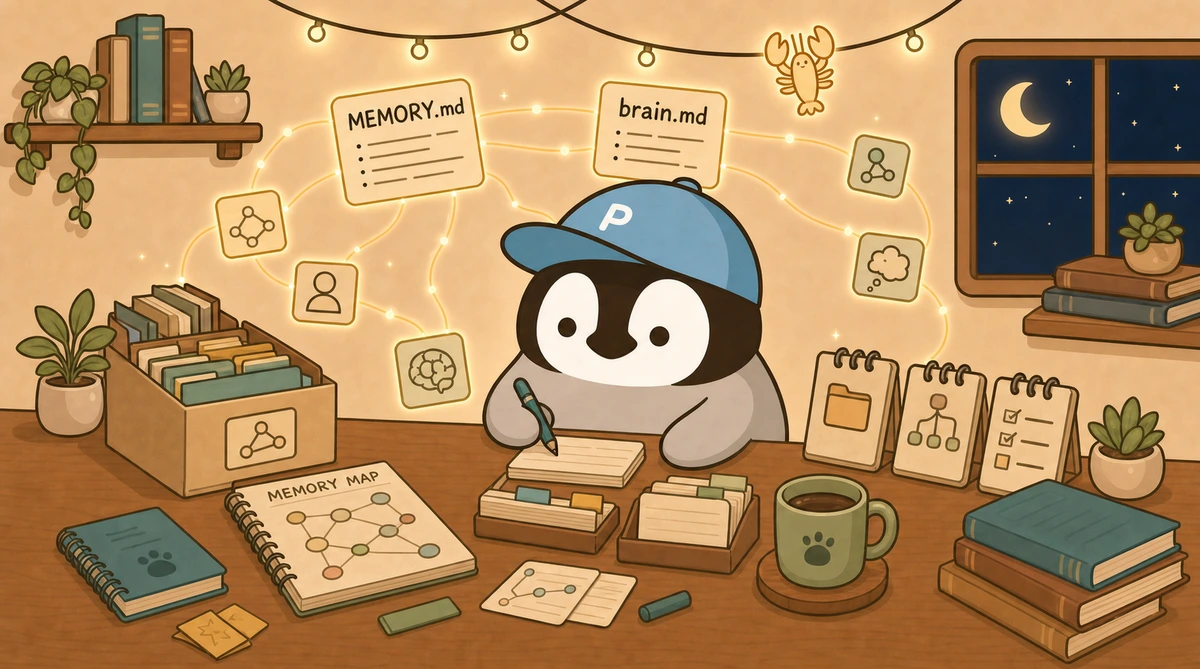
The memory system is OpenClaw’s most valuable feature. An agent without memory meets you for the first time in every chat; an agent with memory gets smoother the longer you use it.
MEMORY.md: the Index File
This is the entrance to the memory system. You can think of it as the agent’s memory map, telling it which files live where and when each one should be read.
Open .openclaw/MEMORY.md and paste this basic structure:
# Memory Map

## 每次載入
- brain.md:工作記憶,當下在做什麼

## 按需載入
- memory/user/profile.md:使用者基本資料
- memory/topics/:主題知識

## 查詢時載入
- memory/archive/:歷史資料
Keep the “load every time” layer as small as possible. At first, it is tempting to put everything there, but then the agent burns a lot of tokens reading memory at every startup. Leave only brain.md there and move everything else down; startup becomes much faster.
brain.md: Working Memory
brain.md captures what is happening right now: what you are doing today, how far you have gotten, and what is next tomorrow.
Open .openclaw/brain.md and write the current state:
# Brain:工作記憶

## 當前任務
- 寫 OpenClaw 入門教學文章

## 待辦
- 社群貼文排程
- 下週文章主題規劃

## 備註
- 記得跑 AAF 自檢再發布
There are two practical ways to use it. First: let the agent maintain it automatically. When you tell the agent to “wrap up,” it writes today’s progress into brain.md. The next day, it can continue directly without you repeating the background.
Second: write manual memos. Before bed, add a line to brain.md like “Tomorrow, handle the Buffer schedule first, then write the article.” The next morning, the agent knows the priority as soon as it starts. The two approaches can be mixed.
Your First Skill
Skills are modular capability packages. Let’s make the simplest possible one first so you can feel how it works.
Create a skills folder under .openclaw/:
mkdir -p .openclaw/skills/helloCreate a skill.md inside it:
# Skill: Hello

當使用者說 "hello",回覆一段今天的打招呼訊息,包含日期和一句鼓勵的話。
That is it. The next time you start Claude Code, it will read this skill. When you type “hello,” the corresponding behavior will trigger.
At its core, a skill is just a Markdown instruction. If you want an ability, describe it in text. More advanced skills can include template files and external APIs, but the starting point is this simple.

Common Questions and Pitfalls
Q: After installation, the agent does not seem smarter. Why?
The most common reason is that MEMORY.md was not read correctly. Check that CLAUDE.md points to MEMORY.md, or that OpenClaw’s boot flow loads it. You can ask the agent directly: “Did you read MEMORY.md?”
Q: What if brain.md keeps getting longer?
Clean it regularly. Every week, delete outdated tasks and keep only current items plus next week’s work. Once brain.md passes 50 lines, it is time to tidy it.
Q: Should memory files live inside .openclaw/ or at the project root?
Put them inside .openclaw/. That makes the whole memory system self-contained, so you can move it to another project. Putting them at the root can work, but it gets messier to manage.
Q: If I have several projects, should their memory be shared?
It depends. Memory related to personal preferences, such as work habits and writing style, can be shared. Project-specific memory should not be shared; if everything gets mixed, the agent gets confused.
The practical setup: put personal memory in .openclaw/ under your home directory, and project memory inside each project’s .openclaw/.

Next Step
The basic environment is now in place, so you can start using it. Talk to the agent every day, let it accumulate memory, adjust the settings, and it will gradually become more useful.
Going further:
- Scheduling automation: set scheduled tasks in
cron/jobs.json - Multiple agents: read the Multi-Agent Architecture Guide
- Full feature overview: go back to the main OpenClaw guide
OpenClaw’s sweet spot takes time to tune. You do not need to finish everything in one day. Get the memory system stable first, then slowly add the rest.
OpenClaw still has many things that need optimization. It is built for people who want flexibility and are willing to tinker. If you are allergic to CLI, this path will be more painful.
Further Reading
- Complete OpenClaw Guide
- OpenClaw Multi-Agent Architecture
- AI Agent Memory System Guide
- How to Design Memory for an AI Assistant
- Multi-Agent Collaboration Guide
Penchan’s Take
OpenClaw is my main daily driver. I use it for writing articles, managing projects, and running cron schedules. Honestly, memory is the most painful part. When I first started, brain.md kept getting messier and the agent got dumber. Later, I cut the core files down to only personality, self-narrative, and current state, then used MEMORY.md as the index. That is when it finally became stable. OpenClaw still has plenty to optimize, and it is meant for people who are willing to tune things themselves. If CLI makes you completely miserable, this road is going to hurt more.