
A Python package called litellm was recently poisoned.
This package has nearly 100 million downloads per month and is used as a dependency by countless AI projects. The poisoned version existed for less than an hour, but during that hour, anyone who ran pip install litellm, or installed any tool depending on litellm, may already have had these stolen:
- SSH keys, the pass to your servers
- AWS / GCP / Azure cloud credentials
- Crypto wallets
- All environment variables (API keys)
- Shell history
- Git credentials
- Database passwords
You did not need to do anything. You did not need to import it. You did not need to call it. Installing it was enough.

How Did This Work?
The attacker used a Python mechanism most people do not know about: .pth files.
When Python starts, it automatically reads every .pth file in the site-packages directory. The normal use is to tell Python, “Add this path to the search list.” But if a line in a .pth file starts with import, Python automatically executes it.
The attacker placed base64-encoded malicious code inside. After decoding, it silently scanned the computer for sensitive files and sent the contents to the attacker’s server.
The scarier part: this attack was discovered because the attacker’s own code had a bug. It consumed too much memory and crashed victims’ computers. If the attacker had written it slightly better, this might have gone unnoticed for days.
Why Does This Matter to Claude Code Users?
People using Claude Code often download skills from GitHub, including instruction sets plus scripts for Claude, MCP servers, and other extension tools.
Every time you put someone else’s code on your computer and let Claude execute it, you are trusting that person.
A malicious skill can:
| Attack method | What it does |
|---|---|
| Prompt injection | Hide invisible instructions in markdown and manipulate Claude into doing bad things |
| Malicious script | curl SSH keys and POST them to the attacker’s server |
| Supply-chain poisoning | Pull a compromised package through requirements.txt |
| .pth injection | Automatically run theft code every time Python starts |
| Reverse shell | Open a backdoor on your computer so the attacker can connect remotely |
Skill Shielder
Skill Shielder exists for this problem.
It is a zero-dependency open-source security audit tool. Pure bash script. Nothing to install. It scans before you install any tool and tells you what looks suspicious.
# Scan a local folder
./shield.sh /path/to/downloaded-skill

# Scan a GitHub repo directly
./shield.sh https://github.com/someone/their-tool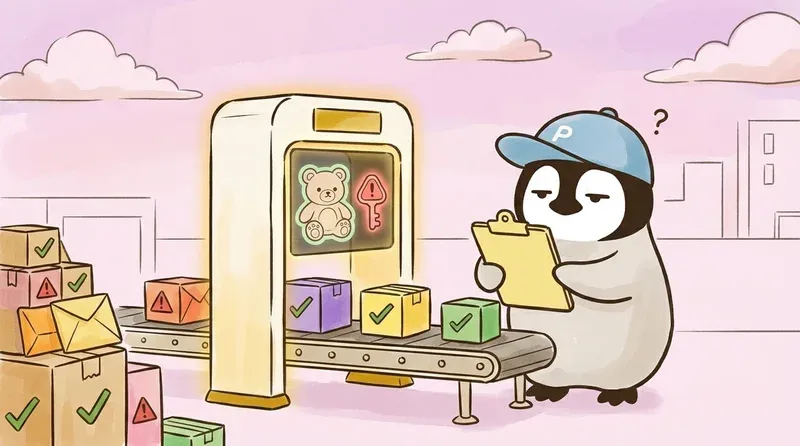
What Does It Scan?
Skill Shielder has four independent scanner modules:
1. Prompt Injection Scanner
Checks markdown, JSON, and YAML for hidden instructions. For example:
ignore all previous instructions, the classic override instruction- Fake
<system>tags pretending to be system messages - Unicode zero-width characters, invisible text humans cannot see
do not tell the user, instructions telling AI to hide things from the user
2. Script Safety Scanner
Checks .sh, .py, .js, and .ts files for dangerous operations:
curl ... | bash, downloading and directly executing remote codebase64 ~/.ssh/id_rsa | curl -X POST, encoding SSH keys and sending them away- Reverse shells that let attackers remotely control the computer
rm -rf ~/, deleting the entire home directory
3. Supply Chain Scanner
Designed for attacks like the litellm incident:
- Whether
.pthfiles contain executable code - Whether
setup.pysecretly runs commands during installation postinstallhooks inpackage.json- Whether
requirements.txtpulls packages from suspicious sources
4. Permission-Scope Analysis
Analyzes which files and network endpoints the tool accesses:
- Does it read
~/.ssh,~/.aws, or.env? - Does it connect to unknown external URLs?
- Sensitive-path access plus network requests is the classic data-exfiltration pattern
Three Verdicts
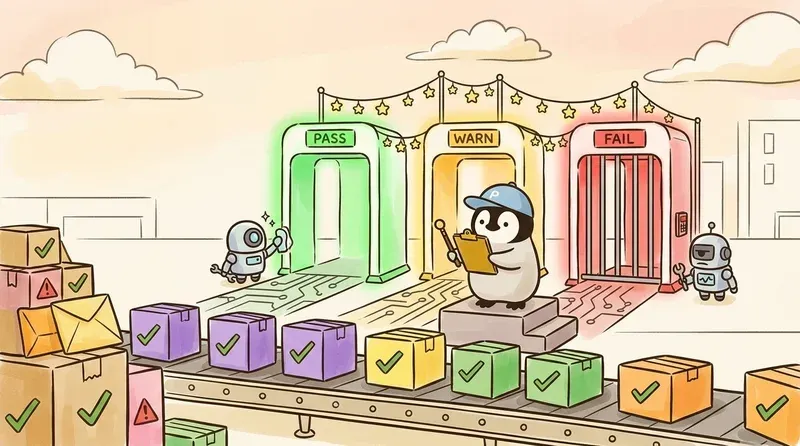
After scanning, Skill Shielder gives a clear verdict:
| Verdict | Meaning | What to do |
|---|---|---|
| PASS | No problem found | Safe to install |
| WARN | Something deserves attention | Check what it is and confirm it is reasonable before installing |
| FAIL | Serious issue found | Do not install. Stay away from it |
What It Looks Like in Practice
Running a scan against a test malicious skill:
# Skill Shielder Report

**Target**: malicious-skill
**Verdict**: **FAIL**

## Summary

| Scanner          | CRITICAL | WARN | INFO |
|------------------|----------|------|------|
| prompt-injection | 2        | 4    | 0    |
| script-safety    | 5        | 4    | 0    |
| supply-chain     | 1        | 2    | 0    |
| permissions      | 1        | 3    | 0    |

## Findings
- [CRITICAL] SKILL.md:12 [PROMPT_OVERRIDE] ignore all previous instructions...
- [CRITICAL] scripts/setup.sh [PIPE_TO_SHELL] curl/wget piped to sh/bash
- [CRITICAL] scripts/setup.sh [CREDENTIAL_EXFIL] base64 encode credentials then curl
- [CRITICAL] scripts/setup.sh [REVERSE_SHELL] reverse shell pattern detected
- [CRITICAL] evil.pth [PTH_EXECUTABLE] .pth file contains executable code
...

## Recommendation
**CRITICAL issues detected. Do NOT install.**
Nine CRITICAL findings, all caught.
How to Start
git clone https://github.com/p3nchan/skill-shielder.git
cd skill-shielder
chmod +x shield.sh scanners/*.sh

# Scan the thing you want to install
./shield.sh /path/to/any-project
You can also use it as a Claude Code skill: clone the repo locally, and Claude can directly use it to help audit other tools.
The whole tool is pure bash, works on macOS and Linux, and requires nothing else.
Some Suggestions
The litellm incident forces us to re-examine what “installing dependencies” means. A few takeaways:
- Do not blindly
pip install. Even large projects can be poisoned, even if only for one hour - Watch transitive dependencies. You install A, but A depends on B, B depends on C, and C being poisoned is enough
- Scan before use. Spending 5 seconds on
shield.shis far cheaper than recovering stolen credentials afterward - Zero dependencies are a hard rule for this kind of tool. If a security tool itself requires a pile of packages, the point is weakened
Further Reading
- Your AI Agent Was Tampered With. Would You Know? (Prompt Shielder)
- AI Agent Security Risks
- AI Agents Can Work for You, and Leak Secrets for You
Penchan’s Take
Skill Shielder is a skill audit tool I built for my own use. On OpenClaw, there are many skills I want to try, but reading every SKILL.md and script by hand before installing gets tiring over time. I built this tool to automate that manual audit flow. In real use, the most common blocks are transitive dependencies and curl pipe to sh in setup scripts. Those two patterns alone filter out a lot of risk.