
🔗 GitHub: p3nchan/whisperpen
Typing is fast, but speaking is faster.
Voice input options on Windows are not great:
- Built-in Windows speech recognition: recognition quality is worrying, and mixed Chinese-English is almost unusable
- Typeless: NT$300+ per month, and audio files must be uploaded to their servers
- SayIt: free, but depends on the Groq API and has usage limits
The ideal version is simple: press one key to start speaking, press it again to stop, and the text appears automatically. No payment, no internet, no privacy anxiety.
WhisperPen exists for that need.
What It Is
WhisperPen is a minimalist Windows voice input tool. Press a hotkey, speak, and when you release / stop, the text is copied to the clipboard automatically.
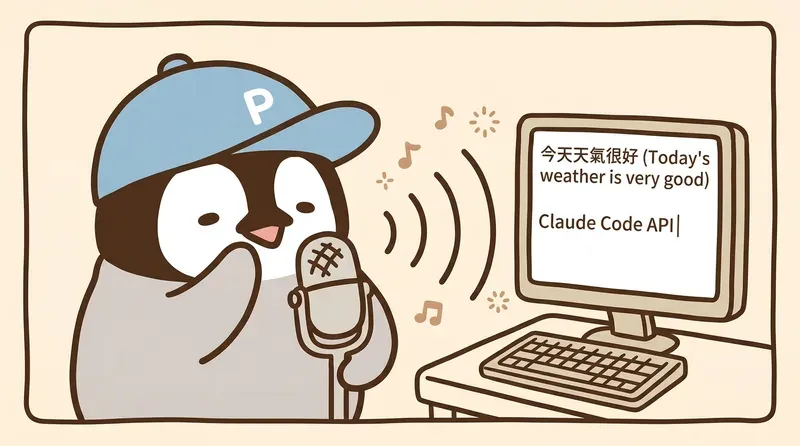
The core flow is simple:
- Microphone recording → audio file
- Whisper recognition → convert audio to text, running on the GPU
- Copy to clipboard → paste anywhere you want
The whole process takes less than one second for short sentences, and it is fully offline.
Why Run It Locally
“Wouldn’t a cloud API be easier?”
Look at the numbers:
| Option | Monthly fee | Privacy | Latency | Offline |
|---|---|---|---|---|
| Typeless | NT$300+ | Audio uploaded | 1-3 seconds | ❌ |
| SayIt (Groq) | Free, with limits | Audio uploaded | <1 second | ❌ |
| WhisperPen | Free | Fully local | <1 second | ✅ |
As long as you have an NVIDIA GPU around GTX 1660 or better, this computer can already do what the cloud API does. The only question is whether someone packaged it into a usable tool.
Mixed Chinese-English: A Real Bilingual Workflow Problem
When writing technical content in Taiwan, mixed Chinese-English is normal. A sentence like “I want to use the Claude Code API for deployment” is exactly the kind of thing many voice tools mangle.
WhisperPen uses OpenAI’s Whisper Large V3 Turbo model. In WhisperPen tests with mixed Chinese-English speech:
| Test content | Recognition time | Result |
|---|---|---|
| Pure Chinese (“今天天氣不錯,想去公園散步”) | 1.58 seconds | ✅ Perfect |
| Mixed Chinese-English (“Claude Code API deployment”) | 0.50 seconds | ✅ All correct |
| Technical terms (“Polymarket, Whisper, RTX 3080”) | 0.66 seconds | ✅ All correct |
WhisperPen automatically converts half-width punctuation to full-width punctuation (, → ,, ? → ?), saving manual cleanup.
How to Use It
Installation (5 Minutes)
git clone https://github.com/p3nchan/whisperpen.git
cd whisperpen
python -m venv venv
venv\Scripts\activate
pip install -r requirements.txt
cp config.example.yaml config.yaml
The first run downloads the model automatically, about 1.5GB. After that, no internet is needed.
Start
python whisperpen/main.pyOr use pythonw to run it in the background without a window:
start /b pythonw whisperpen/main.py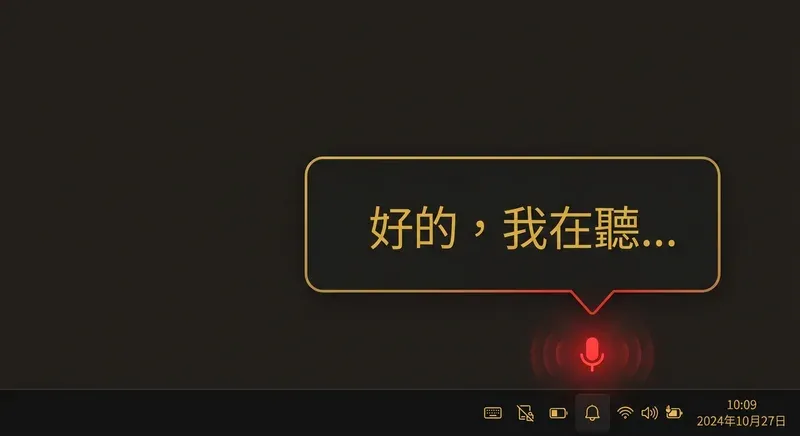
After launch, a microphone icon appears in the system tray. It turns red while recording and gray when idle.
Use
- Press Alt+A → start recording
- Say what you want to type
- Press Alt+A again → stop → text goes to the clipboard automatically
- Press Ctrl+V anywhere to paste
That’s it. No extra steps.
Advanced: Let an LLM Clean Up Spoken Text
Speaking and typing have one fundamental difference: speech includes a lot of filler.
“Um… well, I think this feature should, like, go in that… whatever place”
Whisper faithfully transcribes all of it. If you want cleaner text, WhisperPen can optionally send the transcript to a local LLM through Ollama for cleanup:
“I think this feature should be placed in a specific location.”
Enable it in config.yaml:
refine:
  enabled: true
  ollama_url: "http://localhost:11434"
  model: "qwen2.5:7b"
This step is also fully local. Ollama runs on the user’s own computer. If you do not want it, you can turn it off from the system tray right-click menu.
GPU Requirements
You do not need a top-tier GPU. Whisper Large V3 Turbo uses only about 2GB of VRAM:
| Setup | VRAM use | Feasibility |
|---|---|---|
| RTX 3080 (10GB) | 2.3GB (23%) | ✅ More than enough |
| RTX 3060 (12GB) | ~2.3GB | ✅ Fine |
| GTX 1660 (6GB) | ~2.3GB | ✅ Should work |
| GTX 1050 (4GB) | ~2.3GB | ⚠️ May be tight |
If you need higher recognition accuracy, you can switch to the full large-v3 model, which uses about 4GB of VRAM, but it is 2-3x slower. For most cases, large-v3-turbo has the best speed / accuracy balance.
Config
All settings live in config.yaml, and changes take effect automatically without restart:
hotkey: "alt+a"              # Hotkey
model_size: "large-v3-turbo" # Model size
language: "zh"               # Main language
auto_paste: true             # Auto paste
paste_keys: ["ctrl", "v"]   # Paste shortcut
Open Source
WhisperPen is open source under the MIT license. The whole program is under 400 lines of Python, with a clean structure:
whisperpen/
  main.py          # System tray + hotkey
  recorder.py      # Microphone recording
  transcriber.py   # Whisper GPU inference
  refiner.py       # Ollama text cleanup
  paster.py        # Clipboard + auto paste
  config.py        # YAML config loading
Forks, modifications, and issues are welcome.
🔗 GitHub: p3nchan/whisperpen
Further Reading
- Free AI Meeting Notes Workflow
- Complete Gemini Notebook (formerly NotebookLM) Tutorial
- CapCut AI Subtitles Tutorial
Penchan’s Take
WhisperPen is a tool I built for my own use. The motivation was simple: on Windows, I wanted one key to turn speech into text, without a monthly fee and without sending audio to the cloud. In testing, Whisper Large V3 Turbo on an RTX 3080 transcribes short sentences in under one second, and mixed Chinese-English works well. When there is no NVIDIA GPU, my current fallback is an iPhone recording app plus Gemini Notebook transcript output. That route is free, but it has two more steps than WhisperPen.