Subtitles are one of the most time-consuming parts of video post-production. Manually typing subtitles for a 10-minute video and aligning the timeline can easily take more than an hour.
The AI subtitle recognition built into Jianying (CapCut) compresses this workflow to about 10-20 minutes, and the free version can use it. For Chinese creators, it is currently one of the subtitle tools with the best cost-performance.
CapCut AI Subtitle Workflow
CapCut’s AI subtitle workflow is very intuitive and does not have many steps:
Import the video: drag the video file into CapCut’s timeline.
Open automatic subtitles: find “Text” in the top menu, choose “Recognize subtitles” under “Smart captions.” The system asks for the video’s language. Select it, then start recognition.
Wait for it to finish: a 10-minute video takes roughly 1-2 minutes. After it finishes, subtitles are automatically segmented and aligned on the timeline.
Proofread: this step cannot be skipped. No matter how accurate AI recognition is, it still creates typos, especially for proper nouns, names, and English acronyms. Spending 10-15 minutes reviewing once saves at least ten times the effort compared with manual typing.
Adjust style: font, size, color, and position. CapCut includes many subtitle templates, so pick one that matches the video style.
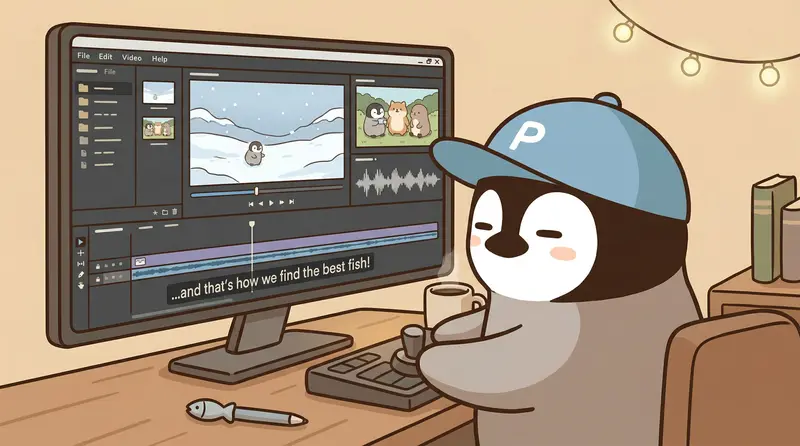
The whole workflow finishes subtitles for a 10-minute video in about 15-20 minutes. Manual typing plus proofreading starts at around 70 minutes.
CapCut Taiwanese Hokkien Recognition: Test Results
This is the most impressive part of CapCut’s subtitle feature.
For Taiwanese Hokkien narration, choosing “Chinese (Taiwan)” for recognition makes about 70-80% of Taiwanese Hokkien segments correct. It is not perfect. Some words are recognized as Chinese characters with similar pronunciation, and Taiwanese particles like “啦” and “齁” are sometimes skipped or turned into other characters. The overall meaning remains understandable, and manual correction from this base is much faster than typing from zero.
Several factors affect recognition accuracy:
Speaking speed: speaking too fast lowers recognition.
Accent: Quanzhou-leaning or Zhangzhou-leaning accents may perform differently. Common accent has higher recognition accuracy.
Background noise: music or environmental noise reduces accuracy noticeably. Record in a quiet environment or apply noise reduction first.
What About Mixed Chinese and English?
Taiwanese speech often mixes Chinese and English: sentences like “this API’s response time is about 200 milliseconds.”
CapCut handles this reasonably well. Chinese is almost always correct, and English words are spelled correctly about 80% of the time. Common terms such as API, ChatGPT, and iPhone have high recognition rates. Less common technical terms such as webhook and cron job may be misspelled.
The practical method is to fix English in one pass after recognition: mark all English words and review them together. This is more efficient than editing them one by one while reading Chinese.
Use Large Models for Subtitle Post-Processing
CapCut can export recognized subtitles as an SRT file. Send the SRT to Claude or ChatGPT and ask it to do several things:
- Typo correction: especially homophone errors, where AI is good at judging from context
- Sentence-break optimization: CapCut’s automatic breaks sometimes split in odd places, and a large model can move them to semantically complete positions
- Format consistency: English capitalization, number formatting, punctuation
The flow is: CapCut recognition -> export SRT -> send to a large model for proofreading -> import back into CapCut. It adds one step, but subtitle quality improves a lot.
For more formal videos, use this workflow. For everyday short videos, manual edits inside CapCut are enough.
Subtitle Tool Comparison: CapCut vs Taption vs Yating Transcript
| Comparison item | CapCut | Taption | Yating Transcript |
|---|---|---|---|
| Free quota | Basic features free | 15-minute trial | 60 minutes free per month |
| Chinese accuracy | Above 90% | Above 90% | Around 80% |
| Taiwanese Hokkien recognition | Supported (70-80%) | Not supported | Supported (60-70%) |
| SRT export | Supported | Supported | Supported |
| Video editing | Full editing built in | None | None |
| Best for | Video creators, all-in-one workflow | Multilingual transcription needs | Pure text transcription needs |
If you already edit videos in CapCut, handling subtitles directly inside it is the easiest path. Taption’s advantage is broader language support and more export formats, but it costs extra.
AI Voiceover: Another Path
CapCut’s built-in AI voiceover sounds mechanical and is still far from the level of ElevenLabs, which is close to a real person. Sentence rhythm, tone variation, and emotional expression are not detailed enough yet.
If you need AI voiceover, the industry currently recommends ElevenLabs or Play.ht more often. They are a different tier of product from CapCut’s built-in feature, so starting from CapCut’s built-in voiceover is likely to disappoint.
Penchan’s Take
CapCut’s subtitle feature is one of the tools Penchan currently uses regularly, and it is quite handy. Chinese accuracy is high, and even Taiwanese Hokkien can be recognized, which is rare among subtitle tools in the Chinese-language world.
The actual workflow is: CapCut AI recognition -> export SRT -> send to a large model to convert into Taiwan Traditional Chinese + proofread. Mixed Chinese-English or Taiwanese Hokkien segments take a little more manual work, but the time saved compared with typing subtitles from zero is substantial. For meeting-recording transcripts, pair it with the Gemini Notebook (formerly NotebookLM) transcript tutorial. For the full free meeting workflow, see the free AI meeting notes workflow.
AI voiceover is not part of Penchan’s daily workflow, and CapCut’s built-in AI voiceover is only useful to know about. If you need AI voiceover, professional tools like ElevenLabs or Play.ht are more practical than starting from CapCut’s built-in feature.
This article introduces AI tool features and does not involve securities or investment advice. Actual pricing should follow each platform’s latest official announcements. This information may become outdated.
Further Reading
- Complete Guide to AI Creative Tools 2026: an overview from tool choice to workflow
- AI Image Tools Compared | Midjourney, Gemini, ChatGPT Image Generation: an in-depth comparison of three major AI image tools
- AI Image Prompt Techniques: how to write instructions that make AI generate images precisely
— Penchan