Explaining image-generation theory can slow everything down. Prompts are faster. Get the model to produce one usable first image, then judge with your eyes whether the composition, style, and use case are close enough.
This prompt library collects six ChatGPT image prompts you can copy directly. Pick the template closest to your use case, replace the bracketed parts with your own topic, and do not try to make the first run perfect. Fix composition first, style second, details last.
The images in this article are sample outputs from similar prompts. They are for reference only. Actual output will vary by model version, random seed, and environment.
Popular ChatGPT Image Prompt Examples on Social
Prompt 1: Turn a Cat Into a Human Character
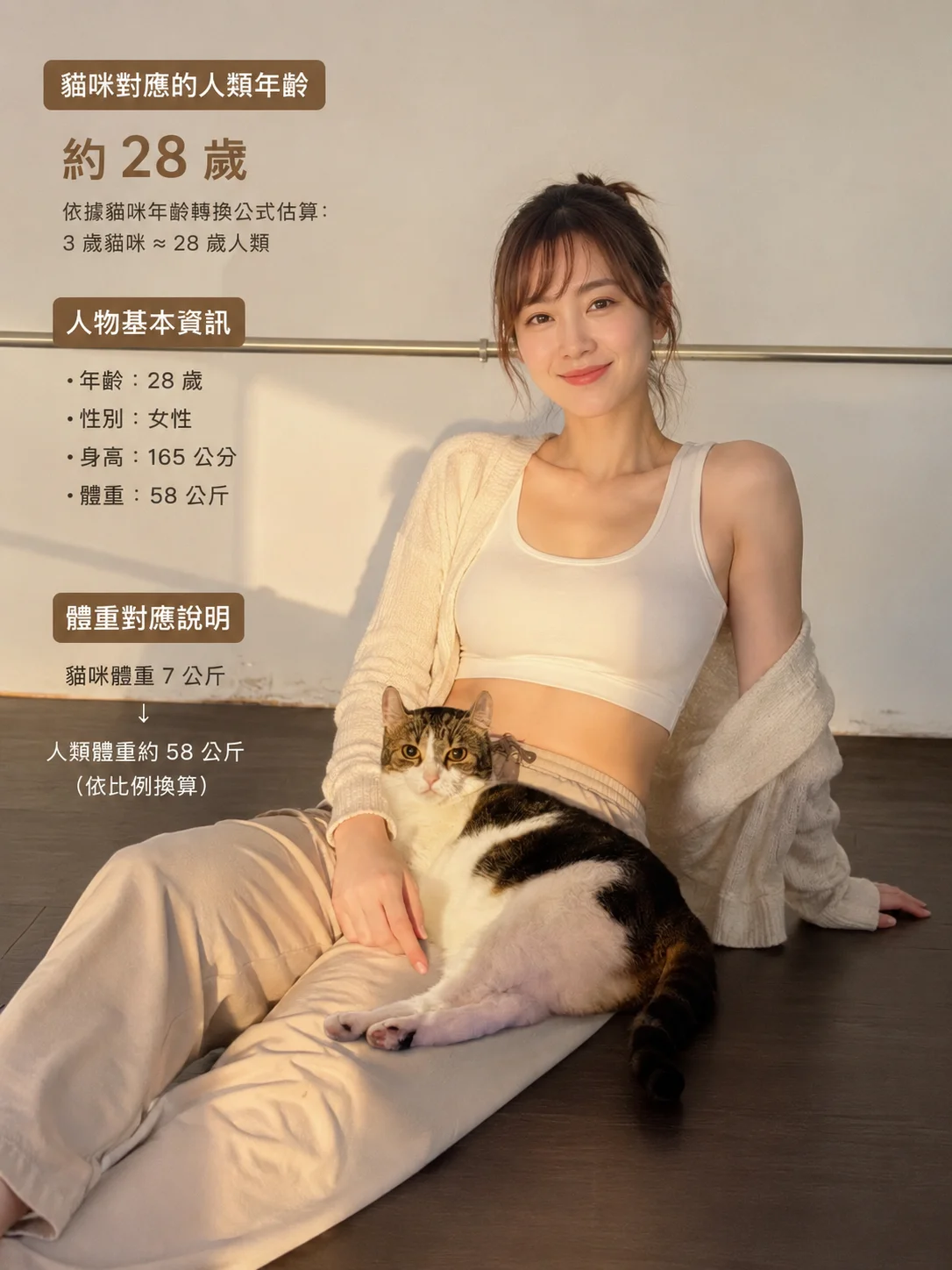
Best for: turning pet details into a human-style portrait, useful for social interaction, character design, or playful avatar ideas.
Prompt, copy directly:
Cat: 3 years old, 7 kg, female
Please convert this into an equivalent human age and body type, then generate a realistic portrait photo.
Expected output: You will get a photo-like character portrait that translates the cat’s age, build, and gender into a human personality. To make it closer to the original cat, add fur color, eye color, personality, and a reference photo.
Social use: Works well for an “if my cat became human” interactive post. Ask readers to drop their own pet details in the comments.
Prompt 2: Baseball Broadcast Screenshot
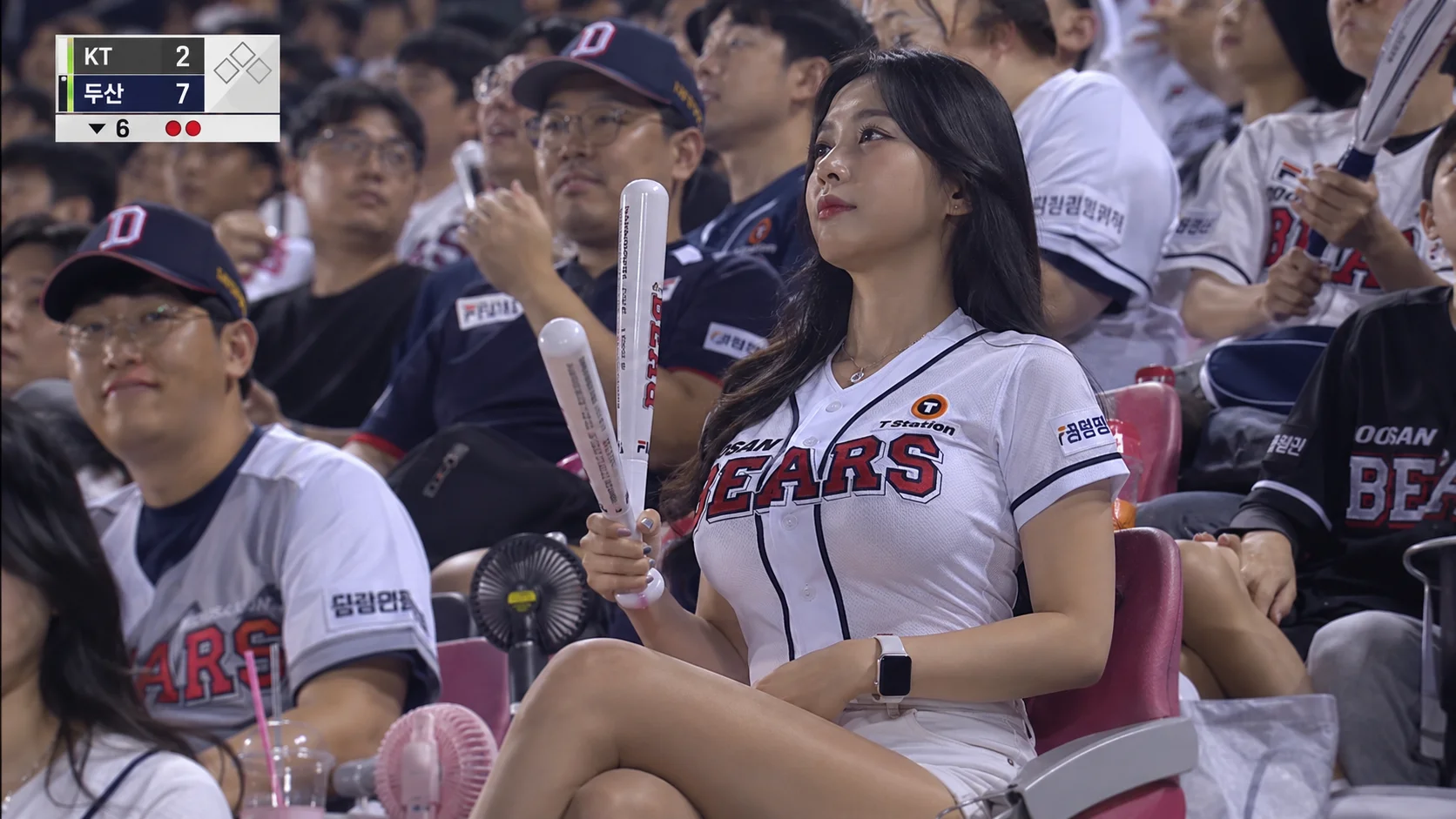
Best for: simulating sports broadcasts, stadium crowd atmosphere, or game-day social materials.
Prompt, copy directly:
A realistic television broadcast screenshot from a KBO professional baseball game. The camera naturally captures a beautiful female fan sitting in the crowded stands of a Seoul baseball stadium. She is wearing a team jersey and baseball pants, paired with team athletic shorts. She sits naturally, holding cheering sticks for the same team, and watches the field with an engaged expression. Around her are many passionate fans wearing the same team's jerseys and caps. The lighting uses realistic stadium floodlights with a natural documentary feel. The image is sharp but not over-retouched, simulating a 4K live sports broadcast with a telephoto lens effect. A candid captured moment, realistic skin texture, no heavy post-processing, with a lively stadium atmosphere in the background.Expected output: The image should look like a live game screenshot, with the focus on the stands, fans, floodlights, and telephoto compression. It works for a game discussion hero image, but avoid misusing real people or real team marks.
Social use: On IG or Threads, use it for a post like “today’s most cinematic stadium moment,” then add your own game observation in the caption.
Prompt 3: Japanese-Style Handwritten Annotated Photo
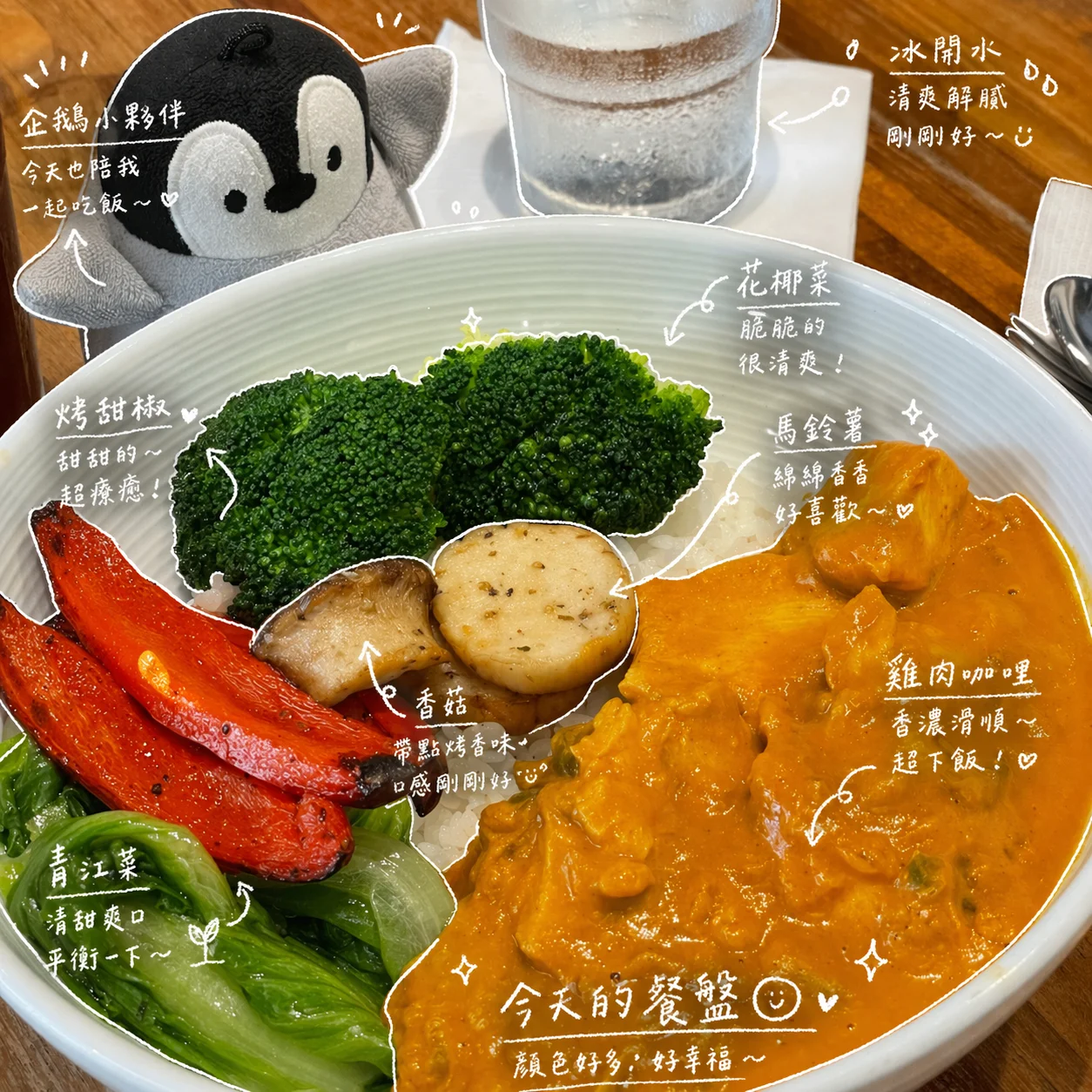
Best for: turning food, drink, or desk photos into diary-like story visuals, adding small emotional notes to ordinary photos.
Prompt, copy directly:
Please observe the elements in the photo and add meaningful handwritten-style annotations to each object.

[Scene contents]
Fill in the objects in the photo, for example: iced milk tea, doughnut

[Drawing rules]
- Use thin white hand-drawn lines
- One-line drawing style, casual and slightly uneven
- Add outline strokes around the objects
- Use arrows or dotted lines to guide the viewer's eye

[Text rules]
- Handwritten font style, slightly cute Japanese mood
- Short sentences, like small thoughts muttered to yourself
- Diary-like tone with a little emotion

[Annotation rules]
- Drink -> taste, temperature, mood, for example: refreshing, lightly sweet, just right
- Food -> texture, how tasty it is, for example: soft, so good
- Space -> atmosphere, for example: relaxing, I like this feeling
- Overall -> one short summary, for example: today feels a little happy

[Decoration]
- Add a moderate amount of steam, sparkles, hearts, or small expressions
- Do not add too much; leave some breathing room

[Final style]
- Like an Instagram Story or casual magazine notebook
- Natural, tasteful, slightly lazy
Expected output: The photo will get white hand-drawn outlines, arrows, and short handwritten notes, like a Japanese-style story post or magazine margin notes. It works best with photos that have clear objects. Crop busy desks before using it.
Social use: Use it for breakfast, coffee, or travel objects on IG Stories. On Threads, break it into “three annotation points that make a photo look better.”
Prompt 4: Japanese ZINE Collage Poster
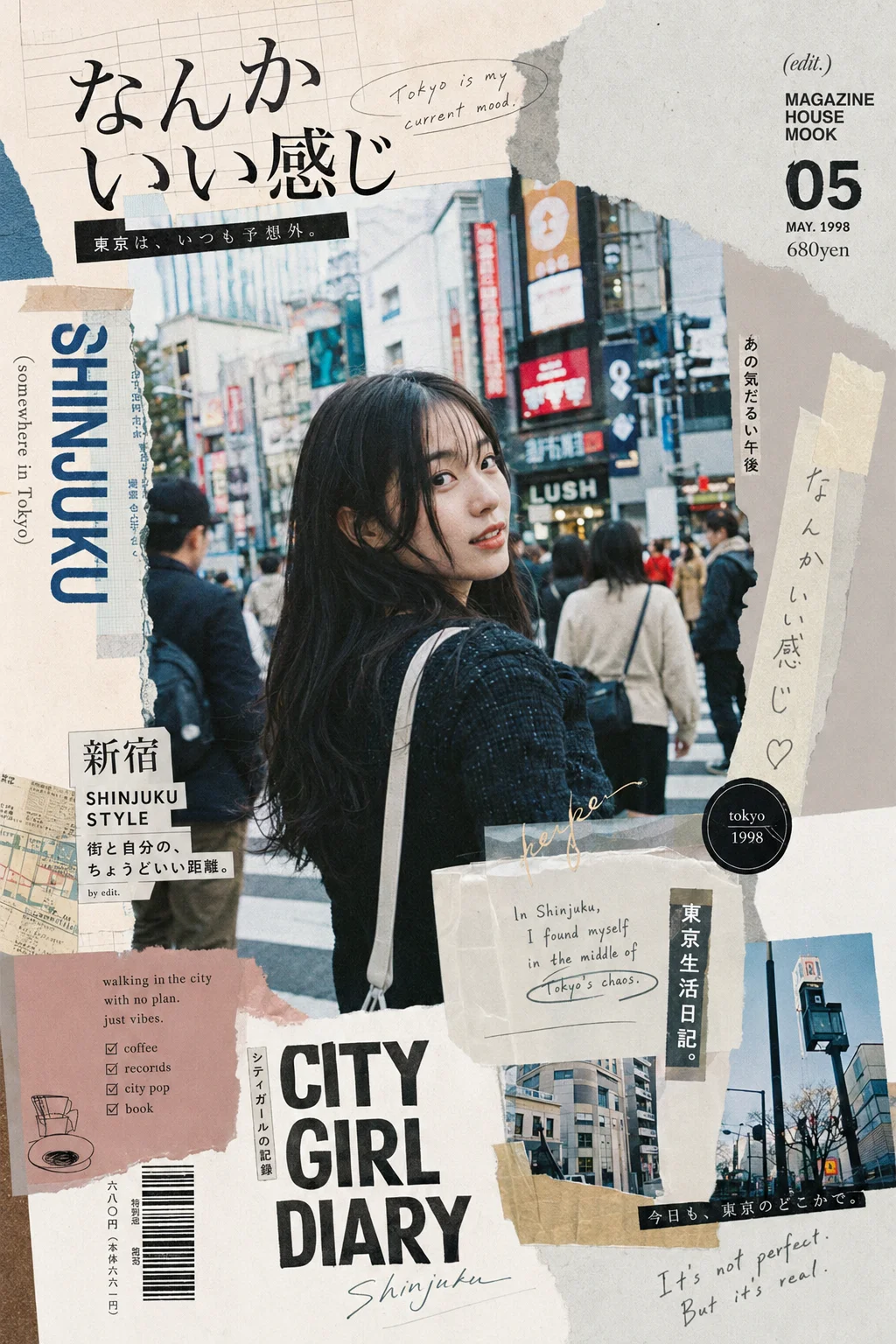
Best for: turning a portrait into a Japanese ZINE-style collage poster, useful for travel, outfits, street snaps, and personal brand visuals.
Prompt, copy directly:
Subject: see attached image
Location: Shinjuku

A Japanese editorial collage poster inspired by Tokyo indie ZINE culture,
combining "Japanese ZINE collage x Heisei-era magazine mood x handmade visual texture."
The subject is a naturally captured young East Asian woman,
as if photographed casually on a Tokyo street, not deliberately posed.
---
Layout & Composition:
Rich layers with designed disorder, inspired by Japanese magazine layouts.
Reference Japanese magazine style, especially a Magazine House-like system.
The image includes:
photo cuts, offset collage, alternating whitespace and dense blocks,
asymmetric design and balance using "ma" spacing,
breathing room instead of a fully packed canvas,
overlapping paper textures, washi tape, rough cut edges,
and natural handmade traces.
---
Typography:
Mixed Japanese and English layout.
Mainly use Japanese x English, reduce Chinese text, strengthen the Japanese mood.
Use:
- Mincho type, elegant
- Gothic type, street feel
- Handwritten Japanese, casual feel
Text example:
"なんかいい感じ" (feels kind of nice)
Expected output: You should get a collage poster with street photography, paper, tape, and magazine layout texture. It is more stable when you upload a portrait reference. Still check all generated text afterward.
Social use: Use it as an IG travel recap cover or outfit cover. On Threads, pair it with a short city-walk note.
Prompt 5: Commercial Photography and Product Poster
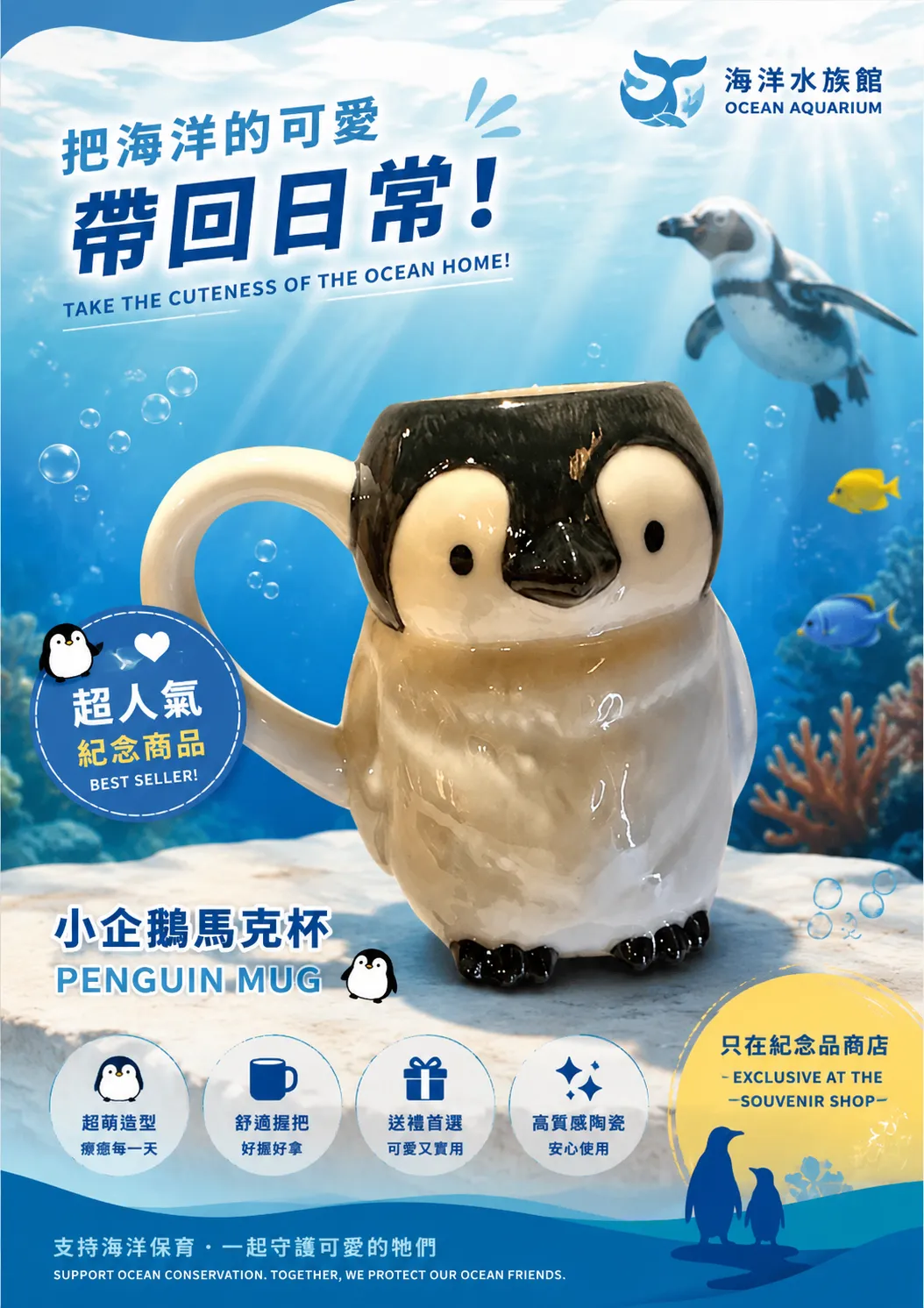
Best for: when you already have a product photo and want to quickly generate an ad poster that could be placed inside a physical store.
Prompt, copy directly:
Generate an advertising poster to promote this product.
It will be placed inside: the souvenir shop of an aquarium.
Reference image: Upload one real product photo together with the prompt. In the example, the product is a penguin-shaped ceramic mug, which is why the prompt can stay this short.
Expected output: A vertical poster with a background that matches the setting, such as ocean elements, bubbles, and underwater light for an aquarium. The product is centered, with a campaign slogan, product name, selling-point pills, and a purchase CTA. The text will usually match the expected language mix.
Social use: Physical store signage, Instagram product promotion, or product page hero visuals. You can ask ChatGPT to generate Japanese and English text variants and place the final copy afterward.
Prompt 6: City Line-Art Travel Poster
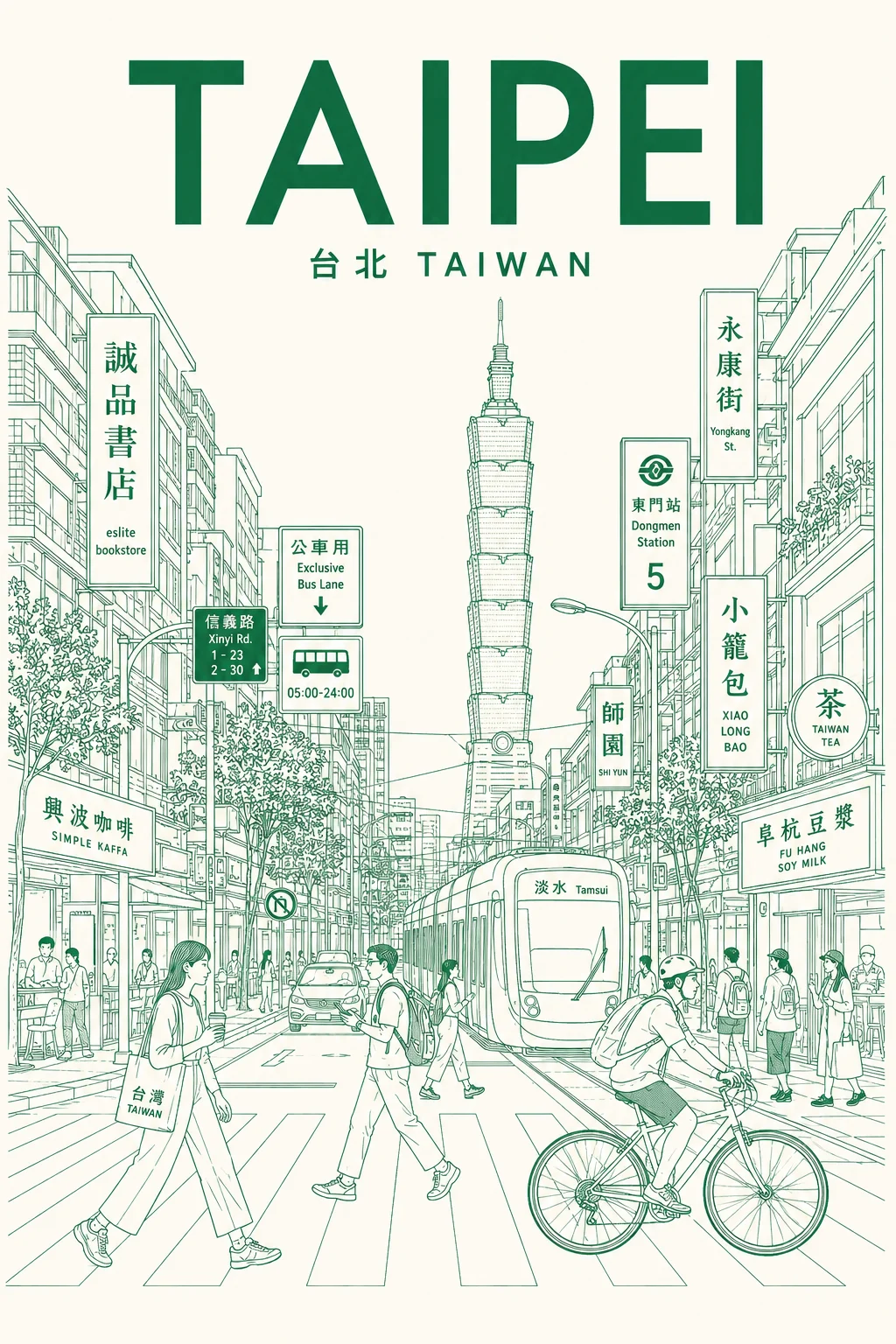
Best for: turning any city into a printable editorial travel poster for social covers or room decor.
Prompt, copy directly:
City: Taipei
Line color: green

Create an ultra-high-resolution minimalist line-art travel poster about this city, depicting it as a stylish and realistic everyday urban scene rather than a typical tourist postcard.

The center of the poster should show one of the city's most representative streets, intersections, alleys, tram scenes, or pedestrian avenues. The foreground should include local residents, commuters, cyclists, travelers, shoppers, students, and cafe customers, naturally reflecting the local lifestyle and fashion culture. The background should be filled with realistic local signs, cafes, restaurants, traffic signs, storefronts, and architectural details. Landmarks should be integrated naturally into everyday life instead of exaggerated, and the image should include real local-language text and visually recognizable cultural elements.

At the top center, place a large bold title. Under it, place a subtitle using the local language plus the country name, for example "Taipei TAIWAN."

The overall style should be a very clean vector illustration combining Swiss modernist travel posters, minimalist line art, monoline drawing, mid-century modern editorial aesthetics, architectural illustration, and Japanese flat poster design. It should have precise geometric perspective, generous whitespace, and a premium travel-brand visual feel.

Use only monochrome line illustration. Lines should be delicate, precise, and use very little fill. The detail density should be as rich as a city map, with signs, buildings, windows, and street objects forming rhythmic layered structures, so the image remains orderly and clear despite the information density.

The color system is very important. Use only one main color and one background color, and automatically choose the palette that best represents the city's mood, like a monochrome screen-printed poster. Avoid rainbow-like multicolor and excessive neon. Colors should reflect the city's architecture, climate, nightlife, and cultural identity. For example, Tokyo can use vivid red with warm ivory, Paris deep navy with cream white, New York charcoal black with light gray, Kyoto soft burgundy with warm cream, Hong Kong cyan-blue with pale ivory, Santorini Mediterranean blue with white, and Cairo desert taupe with sand beige.

Use a vertical poster layout and frontal street-view perspective. Pedestrians should naturally cross or move through the street. Balance the city's rhythm and visual flow, with the quality of a high-end city branding campaign poster.

The mood should show stylish urban life: calm but energetic, like the cover of an editorial travel magazine, with timeless city identity and premium tourism-promotion visuals, keeping high detail within minimalism.

All typography must be clear, readable, and correct. Do not include random characters, broken text, or distorted letters. Local signs should feel natural and real, with professional editorial alignment.

Final output should be a vertical poster composition, 8K ultra-detailed, print-ready, with extremely sharp vector quality.
Expected output: You will get a vertical line-art poster with strong city recognition. Streets, signs, and pedestrians create more life than a simple landmark illustration. It works for travel account covers and printable room decor.
Social use: On IG, make a series like “remember a city with one line-art poster.” On Threads, pair it with a short city observation.
How to Make Prompts Converge
Make the scene specific first. Do not write only “pretty cafe.” Write “10 a.m., Taipei street corner, wooden table, glass window, cloudy natural light.” The model needs drawable clues.
Be clear about style references. “Premium magazine spread,” “studio product photo,” and “science-editorial infographic” are usually more useful than stacking ten adjectives.
Do not put 20 constraints into the first prompt. First define aspect ratio, subject, composition, and what should not appear. Then revise color, expression, material, and details. Changing too much at once makes the model lose its grip.
Penchan’s Experience
The trap Penchan hits most often with prompt libraries is that the first image looks pretty, but once it goes into an article, the Chinese text is crooked, the title position is wrong, or the brand color is off. I now treat AI images as visual drafts, not final design files.
For social graphics, a better workflow is to use ChatGPT or Gemini for composition, then add text in Canva. Do not put long Chinese copy directly inside the image. If one character is wrong, you may need to regenerate the whole image. Adding text afterward is usually faster.
For commercial images, be more conservative. Logo, packaging, and product key visuals can use AI to explore direction, but before formal delivery I would have a designer rebuild them. At minimum, check trademarks, licensing, and brand consistency.
The most useful part of a prompt library is reducing starting friction. Copy a close template, generate the first image, then see what is off. The blank page wastes the most time.