
💡 In a hurry? 👉 Jump to the quick pack
ChatGPT, Claude, and Gemini all recently started supporting “one million token context.” It sounds powerful: put in an entire book, read an entire project’s codebase at once, or keep six months of conversation history intact.
The problem is that real use still hits traps. When Claude Code runs a task and the conversation grows past roughly 400K tokens, strange things often happen: rules explicitly stated three hours ago are forgotten; a question answered ten minutes earlier gets asked again; the same instruction is rewritten in two completely different ways.
I dug through community reports and found that everyone is seeing the same thing. Below is a cleaned-up summary of what has accumulated across community experience and official docs.
Two groups should read this most: (a) general users who chat with ChatGPT every day and do not know “long chats can go wrong”; (b) advanced users doing agentic coding who want to understand why Claude Code sessions get worse as they grow.
The Conclusion First
Supported specs from the three mainstream model families (version numbers keep changing, so check the official pages for the models and plans currently available):
- Claude: flagship models emphasize ultra-long context (check the official specs for the actual limit)
- Gemini: the Pro line emphasizes ultra-long context (check the official specs for the actual limit)
- ChatGPT: the flagship GPT series supports 1M-token context
One million tokens is roughly 800,000 Chinese characters. You can fit the whole Dream of the Red Chamber and still have room.
But that 1M is a capacity ceiling, not the best working area. The model really can read that much, so vendors are not lying. What AI vendors do not tell users clearly is that after the text goes in, processing quality drops as context fills up.
The practical consensus from the community is clear: the real ceiling for maintaining high quality is somewhere between 200K and 300K, and after 250K you enter the zone where the model noticeably gets dull. This number comes purely from Reddit, Hacker News, and Claude Code communities. No vendor spec sheet says it. It was extracted from eight months of accumulated use.
How the Sweet Spot Was Estimated
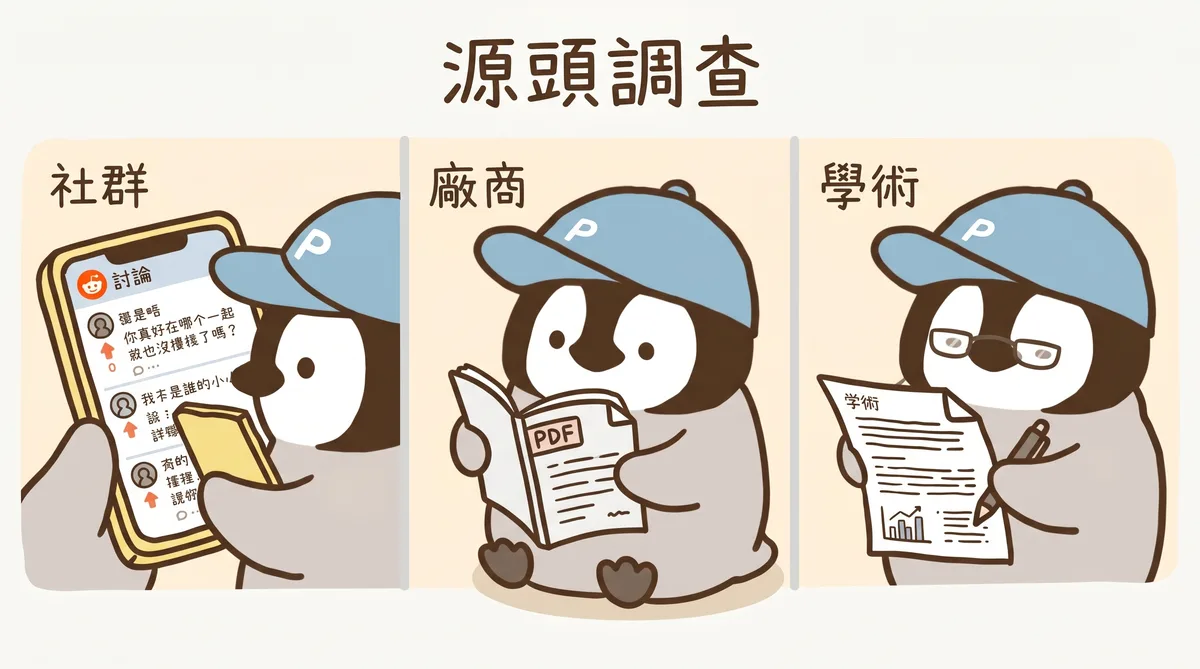
The available clues fall into three groups: (a) more than ten highly upvoted community posts, (b) official technical docs from three vendors, and (c) academic benchmark papers.
From the Community
The earliest post I found that stated the sweet spot as a concrete number was a comment under an r/OpenAI Reddit thread on August 7, 2025: “I find 200 to 300k to be the sweetspot.”
After that, the phrasing spread like a relay. Some people added that “after 200K it starts going downhill,” while others said it starts forgetting around 120K. By Hacker News in April 2026, “keep it under 250k” had become an unwritten operating rule, and nobody pushed back.
Nine months and several threads produced a working rule of thumb for current AI use.
From the Vendors
All three vendors have quietly admitted the degradation problem, just buried in technical docs.
Anthropic’s official Claude Code best practices include this line: performance gets worse as the context window fills up. They even recommend actively “resetting the conversation” on long tasks instead of letting it roll forever.
OpenAI previously wrote in ChatGPT’s prompting guide that long-context performance degrades when a task requires complex reasoning over the “state of the entire context.”
Google is more subtle, but in its Vertex AI docs, the focus is really “how not to waste 1M,” not “fill it all up.”
The shared message from all three: 1M is usable, but in real work you must manage it proactively.
From Academic Benchmarks
The most striking number comes from Google’s own Gemini 3.1 Pro technical docs. Same model, same test, called MRCR. In simple terms, it asks the model to find the correct passage among many similar passages. Two different context lengths:
- Context length 128K: score 84.9%
- Context length 1M: score 26.3%
Same model. Only the context length changed from 128K to 1M, and the score dropped by almost sixty percentage points.
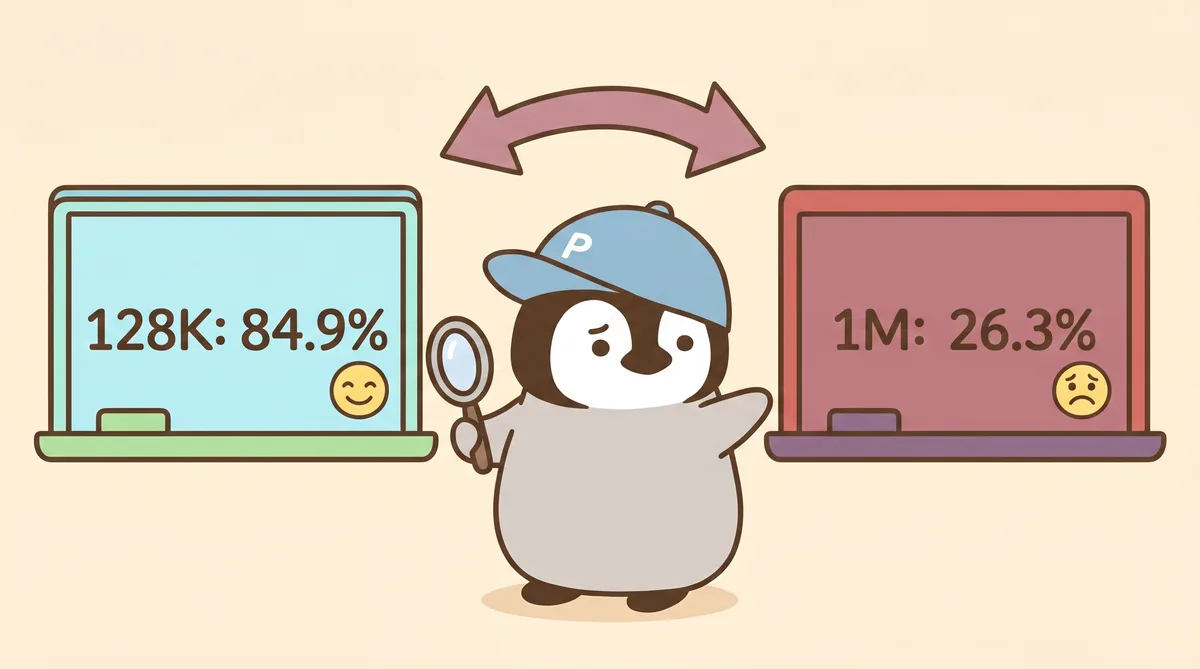
This is in Google’s official technical docs. The vendor itself wrote down the degradation; it just was not the headline.
What Happens Beyond the Sweet Spot
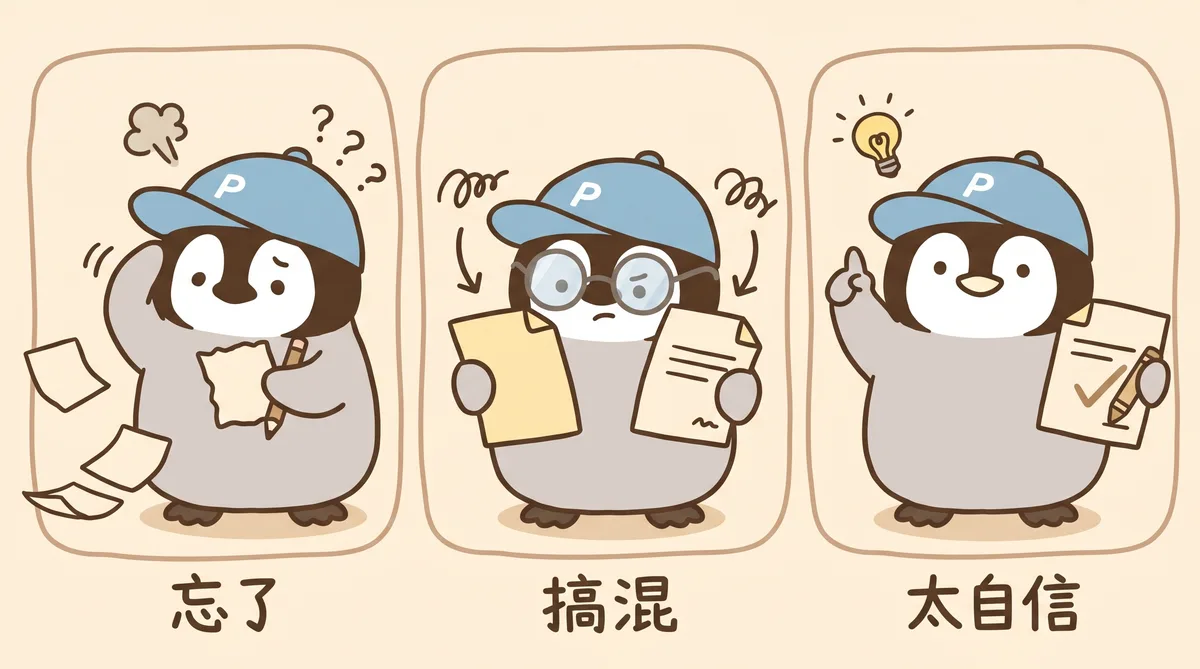
One: AI Starts to “Forget” ❓
Common symptoms:
- It forgets a rule you clearly stated three hours ago and does something explicitly forbidden
- It asks a question that was already answered earlier
- You guide it toward topic A, then it drifts back to topic B after a while
- It writes the same instruction twice, with inconsistent versions
The root cause is diluted attention, not that the AI is “broken.” When context is too long, it has trouble keeping all information active at once, just like a computer slows down when twenty Chrome tabs are open.
Two: AI Starts Mixing Things Up ☁️
More troublesome than “forgetting” is “confusion.” Give it many similar but not identical passages, such as five contract versions, five papers defining the same concept differently, or ten tool outputs from the last three hours, and it starts mixing them up.
It will not say it cannot tell them apart. It will confidently give an answer, but that answer may combine a clause from version two with a number from version four.
This is why Google’s MRCR score dropped from 84.9% to 26.3%. At 128K, it can still distinguish the fifth item among eight similar passages. At 1M, it only gets roughly a quarter right. Note: MRCR measures whether the model still “remembers / understands” information in long context.
Three: AI Becomes Overconfident, Which Means Hallucination
This is the sneakiest part. When context is too long and the model is no longer sure about details, it usually does not say it is uncertain. It generates an answer that sounds reasonable but is actually wrong.
For advanced users, this is the most dangerous situation: you think it got the job right, but it grabbed the wrong detail somewhere deep inside the 1M context.
For General Users: Three Things to Take Away
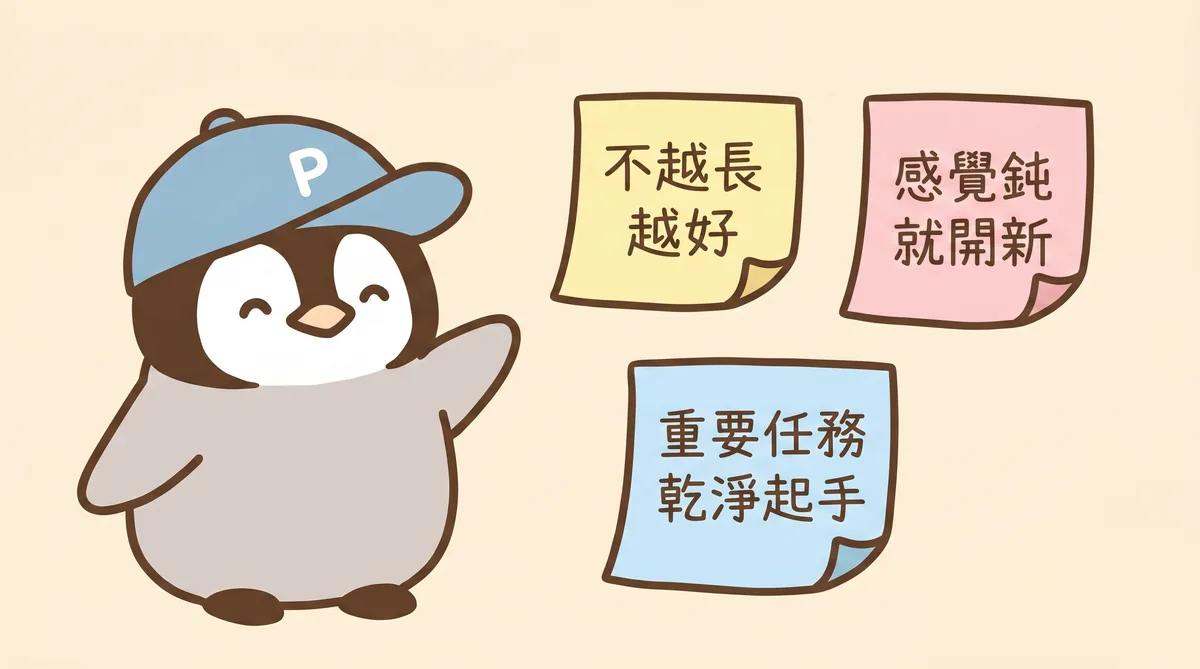
If you use ChatGPT / Claude / Gemini every day but do not run heavy agentic coding tasks, remember three things.
First, longer chat windows are not automatically better.
Many people think that if they keep talking in the same chat, the AI will understand them better and better. In practice, the opposite happens: the longer the conversation, the more it forgets and the worse it mixes things up.
Second, when it starts feeling dull, open a new chat.
What counts as “dull”? The symptoms above: repeated questions, forgotten rules, topic drift. Once they show up, do not force it. Copy the current question, open a clean chat, and paste it there. Ten seconds of work gets quality back.
Third, start important tasks with clean context.
If you want AI to write a long article, analyze an important decision, or review a contract, do not let it inherit the conversation where you were chatting casually thirty minutes ago. Open a new one, paste the relevant material together, and start clean.
Bonus: Ask AI to Write a Handoff Prompt
Need to open a new chat but afraid of losing context? The best fix: ask the current AI to write a handoff prompt for you, then paste it into the new chat. A concrete template is in the “quick pack” below. Use the copy button and paste it into ChatGPT / Claude / Gemini.
For Advanced Users: Watch the Token Count
If you run Claude Code, ChatGPT Codex, or any agentic loop, you need to treat context management as an active skill.
Specific moves:
Watch token usage. Claude Code shows the current session’s token progress, and you can also use a statusline for real-time monitoring. Once you pass 200K, pay attention. Once you pass 300K, you should seriously consider compaction or a new conversation.
Do compaction. Anthropic’s official docs recommend the /compact command, which compresses the current conversation into a summary. Do not wait until you are close to 1M. Around 200K is already a reasonable time.
Use structured handoff. Split long tasks into multiple sessions. At the end of each session, write a short handoff file recording what was done and what comes next. I usually keep context.md and status.md in the project for basic project information and progress, so the next session can continue from the handoff file plus the minimum necessary context.
Cache large stable background. Do not resend the whole codebase every time. Use prompt caching to make stable background material a prefix cache, and keep the dynamic question in the current prompt.
When you see official “1M NIAH 99%” claims, ask first: what kind of test is that? NIAH, single-needle retrieval, looks great at 1M. Daily work is closer to MRCR, multi-needle discrimination. Treat marketing as marketing, and manage real work around 200-300K.
Quick Pack: 4 Prompt Templates
You can copy these four blocks directly into any AI chat. Replace [xxx] with your own content.
1. Clean-Start Prompt for Important Tasks
Before starting an important task, use this to focus the AI on the work and avoid interference from previous chat context.
We are starting an important task now: [describe the task in one sentence]

Background: [2-3 lines of necessary context]
Goal: [1-2 lines describing the expected outcome]
Response preferences: [1-2 constraints, such as: answer in Traditional Chinese, avoid too many bullet points]

Before starting, restate your understanding of this task first. After I confirm, continue. If anything is uncertain, say "uncertain" directly instead of guessing.
2. Ask AI to Write a Handoff Prompt
If the conversation is nearing the context limit and the model starts feeling dull, but you do not want to throw away context, use this to make the current AI write its own handoff file.
This conversation may be nearing the context limit. Please write a handoff prompt so the next assistant can paste it into a new chat and continue. Include:

1. Core conclusions: what has already been decided, and why
2. Open issues: unresolved parts, blockers, or things waiting for confirmation
3. Understanding of the user: preferences, current work, and style tendencies

Target 300-500 words. Be as precise as possible.
3. Ask AI to Self-Check Whether It Has Gotten Dull
If you are not sure whether the current conversation is still healthy, ask directly.
Please honestly evaluate the current conversation:

- Roughly how long has it been? An estimated token count is enough.
- Are the earlier rules or data still clear to you? If anything is fuzzy now, what is fuzzy?
- Is it better to continue here, or do you recommend opening a new chat?

If the state is still good, say "clear, we can continue."
4. Compress the Conversation into a Summary
Use this when you want to keep the essence of the conversation and drop the noise. This is more compact than a handoff prompt and works well for archiving or sharing.
Please compress the conversation so far into a summary. Keep:

- All decisions and main reasons
- Ongoing unresolved issues
- Key data and numbers

Do not keep: small talk, repeated discussion, or ideas that have already been rejected. Target 200-400 words.
These four blocks are worth keeping close. Prompt 1 is the daily one, used before starting real work. Prompt 2 is the rescue prompt, for when context is close to bursting but you do not want to restart. Prompt 3 is for debugging, when the AI starts acting strange. Prompt 4 is for wrapping up, when you want to archive or share.
Summary of the Working Logic

In practice, the real quality driver is whether you can express the task clearly and concisely. How much you can write is the model’s capacity allowance. How you arrange it, in what order, and when you clean it up reflects the actual working mindset.
Treat 1M like a refrigerator. You can buy a big one, but after buying it, the skill to learn is how to categorize things, what to keep near the front, and when to throw out expired items. A stuffed refrigerator and a small refrigerator can both make it hard to find the yogurt you want.
AI is the same. More capacity is good, but using it well is what actually saves time.
Rules of thumb for non-coding scenarios are still accumulating. Legal document analysis, long financial report reading, and cross-comparison across multiple papers have less practical evidence and less community discussion. I hope the community keeps adding experience here.
Further Reading
- Claude Code + Codex Collaboration Playbook
- Complete Prompt Engineering Guide
- Claude Opus vs Sonnet
- Complete Gemini 3.1 Pro Tutorial
Sources
- Gemini 3.1 Pro Model Card (2026-02-19): https://deepmind.google/models/model-cards/gemini-3-1-pro/
- Claude Sonnet 4.6 System Card (2026-02-17): https://www.anthropic.com/claude-sonnet-4-6-system-card
- Claude Code Best Practices: https://code.claude.com/docs/en/best-practices
- Effective Context Engineering for AI Agents (Anthropic): https://www.anthropic.com/engineering/effective-context-engineering-for-ai-agents
- GPT-4.1 Prompting Guide: https://developers.openai.com/cookbook/examples/gpt4-1_prompting_guide
- Gemini Long Context Docs: https://ai.google.dev/gemini-api/docs/long-context
- r/OpenAI
GPT-5 Is Underwhelming.(2025-08-07): https://www.reddit.com/r/OpenAI/comments/1mk8hqd/ - r/LocalLLaMA
1 million context is the scam...(2025-08-14): https://www.reddit.com/r/LocalLLaMA/comments/1mq19x6/ - r/ClaudeAI
My Claude Code Context Window Strategy(2025-11): https://www.reddit.com/r/ClaudeAI/comments/1p05r7p/ - HN 47768517 (2026-04-14): https://news.ycombinator.com/item?id=47768517
Penchan’s Take
My daily drivers are Claude Code and Codex, and the 200K line is very real in long sessions. After Claude Code’s token progress bar passes 200K, it noticeably starts forgetting earlier rules. After 300K, I usually /compact proactively or start a new session and continue from a handoff file. Claude’s response style is still my favorite among all models, but long conversations get dull there too. You cannot let it roll forever just because it is pleasant to use. The same applies to everyday ChatGPT / Gemini / Perplexity conversations. Important tasks always get a clean window. No exceptions.