
Ask an AI a question, get a confident and well-structured answer, then check it and realize the whole thing was made up. Most people have run into this at least once.
That is the biggest problem with ordinary AI chat. It answers from what it learned during training. When it does not know something, it may fill in the blank on its own. RAG exists to fix exactly that.
RAG, Explained With an Analogy
Imagine an open-book exam.
Ordinary AI is the student taking a closed-book test: smart, good memory, but the exam scope is huge. If it remembers something wrong or never learned it in the first place, it may still bluff an answer.
RAG is the student taking an open-book test. During the exam, it can check the book. It first finds relevant passages in the materials you gave it, then organizes an answer from those passages. The answer has a basis, and you can go back to the book to verify it.
RAG stands for Retrieval-Augmented Generation. Split it apart and you get three steps:
- Retrieval: find passages related to the question in your database
- Augmentation: put those passages into the AI prompt as reference material
- Generation: let the AI answer based on those references
That is it. It sounds simple, but once these three steps are connected, the difference is huge.

How It Differs From Regular AI Chat
Here is a practical comparison: use Gemini Notebook (formerly NotebookLM) to analyze a 30-page product spec and ask a very detailed technical-parameter question. Gemini Notebook finds the right passage within three seconds and answers with a page citation. Ask ChatGPT the same question directly, and you may get an answer that looks reasonable but has the numbers completely wrong. The gap is easiest to see in a table.
| Regular AI chat | RAG | |
|---|---|---|
| Knowledge source | Training data with a cutoff date | Documents or databases you provide |
| Basis for the answer | The model’s “memory” | Content actually retrieved from documents |
| Hallucination risk | High | Significantly lower |
| Can cite sources | No | Yes |
| Knowledge updates | Requires retraining the model | Just update the database |
The most important difference is the third row. AI models in 2026 hallucinate far less than they did two years ago, but in professional domains, internal documents, and recent information, RAG still has a huge accuracy advantage.
From my own testing: when I put a 50-page technical document into Gemini Notebook and ask questions, answer accuracy is usually above 90%. Ask ChatGPT directly about the same material, and 60-70% is already a decent result.
Does Gemini Notebook Count as RAG?
Yes. And it is currently the most approachable RAG tool.
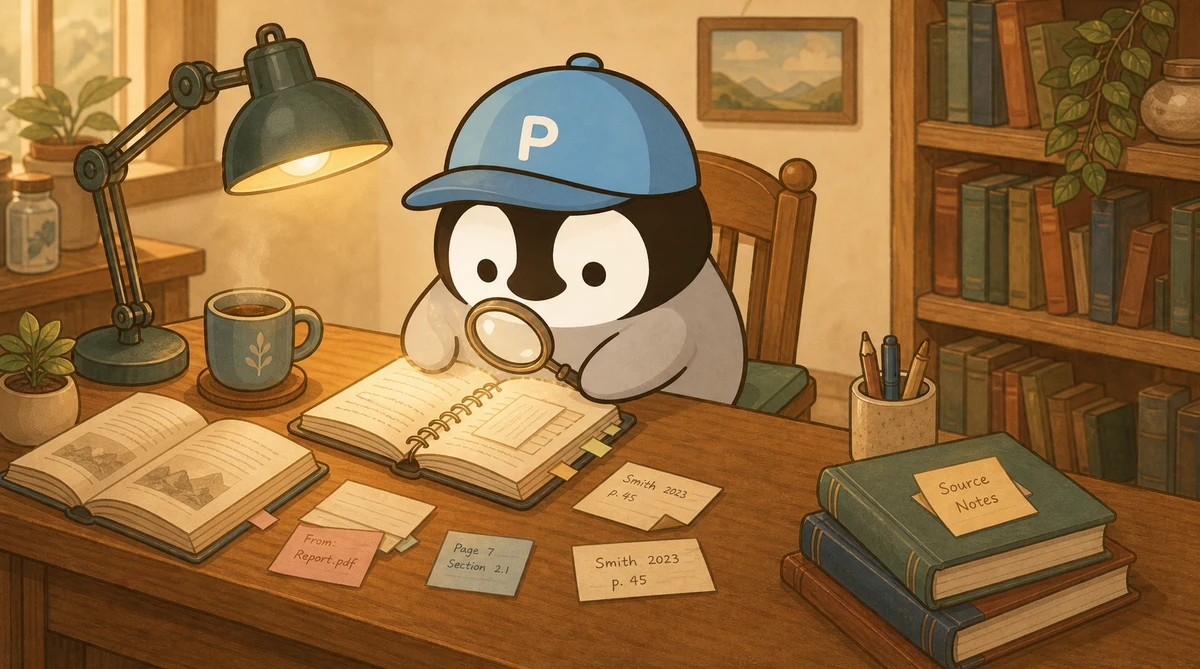
Google’s Gemini Notebook does exactly the three RAG steps: you upload sources like PDFs, Google Docs, web pages, or YouTube videos, and it builds an index. After you ask a question, it finds relevant passages in those sources, answers based on those passages, and shows citations.
No coding needed. Upload, ask, get an answer with citations. Three minutes, done.
So how is it different from building your own RAG system?
Gemini Notebook is good for individuals and small teams. You drop in files, it analyzes them, it is fast, and it is free with limits. But customization is limited. You cannot connect it deeply to your company’s CRM or ERP, and your data lives in Google’s cloud.
A self-built RAG system is better for enterprises. You can choose your own vector database, such as Pinecone or Weaviate, connect internal systems, and keep data on your own servers. But you need engineers, and the cost is much higher.
The sensible entry path is to try Gemini Notebook first, understand how RAG feels, and then decide whether an upgrade is worth it.

OpenClaw’s Memory System Is Basically a Simplified RAG
This part is a little meta: the memory architecture in the AI agent system OpenClaw is essentially RAG.
It splits knowledge into many .md files, grouped by topic. Every time you talk to the AI, the system loads files related to the current topic so the AI has those files as references when answering. It does not load every file, because that would waste the context window. It selects what is relevant to the current conversation.
That is the spirit of RAG: only pass data to the AI when it needs that data. You do not shove all knowledge into its head at once.
The difference is that a formal RAG system usually uses vector search, which turns text into numbers and calculates similarity mathematically, to decide what to load. OpenClaw’s memory system is rougher. It uses rules and routing to decide. But the core logic is the same. For a more systematic breakdown of memory architecture, see AI Agent Memory Systems.
Mainstream RAG Implementation Patterns in 2026
From lowest to highest barrier to entry:
Beginner: Gemini Notebook. No technical barrier. Upload files and use it. Good for personal research, student reports, and small teams organizing meeting notes. The free quota is enough for ordinary use.
Intermediate: n8n + RAG Agent. n8n is a low-code automation tool that lets you build RAG workflows by dragging blocks together. You can create flows like “pull new files from Google Drive every day → automatically build an index → answer coworkers’ questions in Slack.” It fits people with some technical background who want customization without writing everything from scratch.
Advanced: self-built vector database. Vector databases like Pinecone, Weaviate, and Chroma can connect to LLMs through LangChain or LlamaIndex. You need engineers, but you get the most customization.
Enterprise: Agentic RAG. This is the 2026 trend. An AI agent decides by itself when it should look up data, where it should look, and connects to enterprise systems like MES and CRM on its own. Large companies in Taiwan are already using it.
RAG in Taiwanese Enterprises
RAG adoption in Taiwan is no longer new.
A leading semiconductor foundry has introduced LLM + RAG and connected it to a smart manufacturing monitoring system, or MES, so AI can generate process reports automatically. Work that used to take engineers several hours of manual lookup and data comparison now gets pulled, analyzed, and reported by AI in minutes.
Another example is warranty review. One company built a RAG warranty-review assistant that checks warranty terms first, then judges whether a customer’s claim meets the rules. It blocked 80% of clearly invalid claims, brought the misjudgment rate down from 15% to 3%, and saved millions in improper payouts in one year.
For small and midsize companies, the usual starting point is Gemini Notebook. First, get employees used to the workflow of “upload documents and ask AI.” Once the habit is there, evaluate whether building an internal system makes sense.
Limits of RAG
RAG is not magic. There are a few limits worth knowing.
It can only search the data you give it. If the data quality is bad, the answer quality will be bad. Garbage in, garbage out.
The retrieval step can still pick the wrong passage. You ask about A, it finds a paragraph that looks related but is actually about B, and then it confidently answers from B. The result is an answer that has a citation but is still wrong.
Indexing a large volume of documents requires compute resources. A few dozen files are fine. Tens of thousands of documents require serious planning around vector databases and indexing strategy.
These limitations are improving in 2026, but they are not gone. When using RAG, you still need to verify answers, especially for high-risk business decisions.
When Should You Use RAG?
Not every scenario needs RAG.
Good fit for RAG: you have your own set of materials, such as company documents, technical docs, regulations, or meeting notes, and you need AI to answer based on those materials. Or you need the answer to show sources so you can verify it.
No need for RAG: general-knowledge questions, creative brainstorming, programming tasks, and other work that does not depend on a specific document set. In those cases, ordinary AI chat is fine.
A simple test: if your first thought after reading the AI answer is, “Does this answer actually have a basis?”, you probably need RAG.
Penchan’s Experience
My main RAG tool is Gemini Notebook. The workflow I use most often is dropping long materials into it, such as white papers, meeting-audio transcripts, and technical PDFs, to get a clean verbatim transcript first. Then I hand that off to Claude, ChatGPT, or Gemini for analysis. Gemini Notebook’s transcript output is extremely complete, and that is its biggest value.
For Chinese slide decks and image generation, Gemini Notebook still has distorted-text issues, so I do not use it to generate presentations directly right now. Google Slides and Canva are still steadier for decks.
OpenClaw’s multi-file routing is another handmade version of RAG: no vector search, just rules that decide which .md files should be loaded for the current moment. The implementation is simple, but for a personal AI assistant, it is already enough.