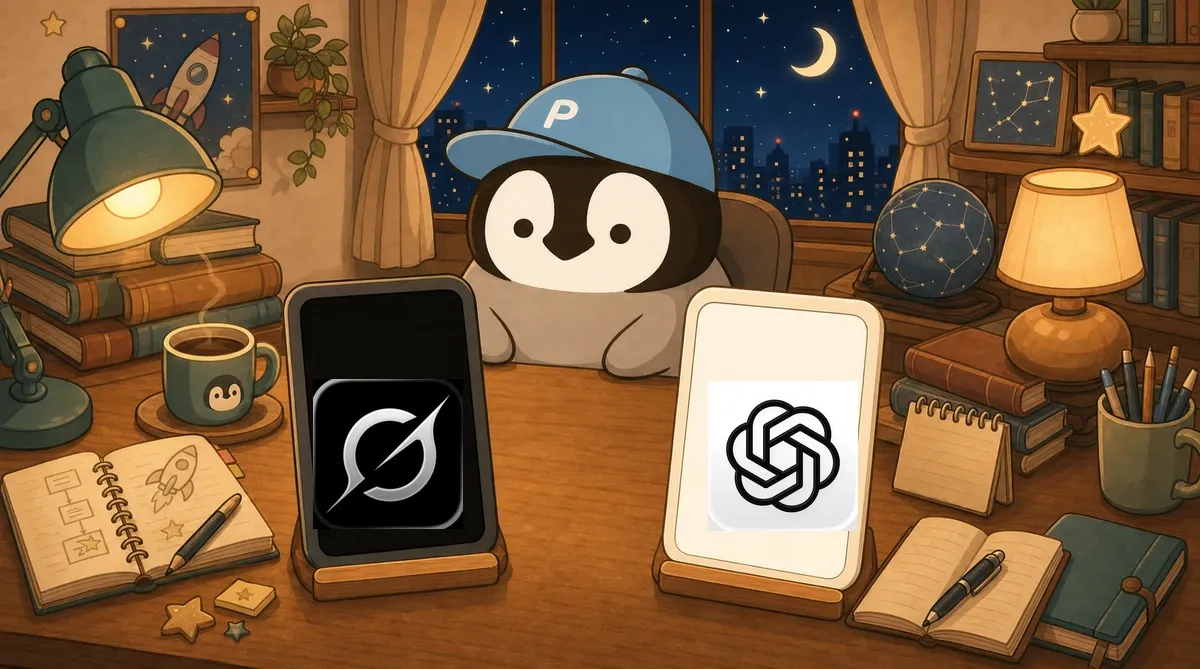
Grok and ChatGPT are two of the most complementary AI models in 2026. Their strongest use cases barely overlap: one is strong at real-time information and X integration, while the other is strong at writing and the plugin ecosystem. This article breaks down the differences by scenario and gives practical advice on how to pair them.
Answer Style: Blunt vs Polished
This is the first difference you notice when you use both side by side.
Ask a controversial question and ChatGPT usually explains a bit from both sides, then adds something like “it depends on your situation.” Grok tends to give a more direct judgment first, then add the other side’s perspective.
For example, with a question like “In 2026, is Rust or Go more promising to learn?”:
- ChatGPT style: “Both are good. Rust is strong in systems programming and safety, while Go is strong in backend and cloud-native work. It depends on your career direction.”
- Grok style: “Depends on your background. If you already write C/C++, learn Rust. If you do web backend or microservices, Go has a bigger job market. For most people, learning Go first is more practical.”
Both are useful. If you want a quick direction, Grok’s bluntness saves time. If you are doing research and need to understand multiple viewpoints, ChatGPT’s neutrality is a better fit.
Real-Time Information: Grok Wins Easily
There is not much to compare here. Grok wins.
Grok can access real-time posts on X and search the latest information on the web. Ask it “What happened in tech today?” and it can give you same-day news. For news that broke less than an hour ago, Grok can often already answer while ChatGPT still cannot find it.
On top of that, Grok can analyze discussion sentiment on X, which is something ChatGPT simply does not have. Ask Grok “What do people think about this event?” and it will scan posts and summarize public reaction.
For workflows that need real-time information tracking, Grok is currently the first choice.
Chinese Ability: ChatGPT Comes Out Ahead
After using both in Traditional Chinese for a long time, ChatGPT’s Chinese is better than Grok’s.
Everyday conversation: the gap is small. Both can chat smoothly in Traditional Chinese, though both occasionally mix in Simplified Chinese wording.
Long-form writing: the gap is obvious. ChatGPT’s Chinese articles have better rhythm and more variation in sentence length. Grok’s long articles feel like expanded bullet notes: sentence lengths are too even, and wording repeats too often.
Translation: ChatGPT wins slightly. English-to-Chinese translation is usable on both, but ChatGPT’s phrasing is more natural.
Traditional vs Simplified Chinese: both have occasional Simplified Chinese leakage, but Grok does it a little more often.
Practical rule: use ChatGPT or Claude first for formal Chinese output. Keep Grok for chat, Q&A, and real-time information.
Writing Quality
Extending the previous point: not just Chinese, ChatGPT is also better than Grok at English writing.
ChatGPT writes with more complete structure, smoother transitions between paragraphs, and more tonal variation. Give it a topic and it can produce an article that reads more like something written by a person.
Grok’s writing feels more like it has gathered information and is presenting it paragraph by paragraph. It is usable, but the text lacks an “authorial feel.”
My writing workflow is usually ChatGPT for ideation and first drafts, then Claude for revision and polishing. Grok rarely enters that pipeline.
Code Generation
ChatGPT wins over Grok here too.
For simple requests, they are similar. For complex requests, ChatGPT is steadier: the logic is more likely to be correct, and it tends to add error handling and comments. Grok’s code is usually roughly right, but small bugs appear more easily, and comments are thinner.
For serious software development, neither is the best choice. Claude Code gives a better development experience than both.
Voice Features
Both have voice conversation features.
ChatGPT’s voice mode is more natural. The intonation rises and falls, there are pauses, it feels like talking to a person, and you can interrupt midway.
Grok’s voice is stiffer. It sounds more like listening to TTS read a script, with flat intonation. For scenarios that need a good voice interaction experience, ChatGPT is clearly ahead right now.
AI Video Generation
Grok has AI video generation, and ChatGPT can do it through Sora as well.
In hands-on use, Grok’s single short clips are usable, but it cannot deeply integrate consecutive clips. Each segment feels independent, so stitching them into a complete video feels stiff. This limitation is common across current AI video tools, not just Grok.
If you only need an occasional short animated clip, both can do it. If you want formal video content, neither is fully there yet.
Plugins and Ecosystem
ChatGPT has the GPT Store, with all kinds of custom GPTs for everything from writing email to SEO analysis. Its plugin system can also connect with many third-party services.
Grok is still very early here. Its ecosystem is basically the X platform.
If you need an AI assistant that can connect to many tools, ChatGPT gives you far more options. If you only need an AI helper inside X, Grok is more than enough.
Pricing Comparison
Both free versions are usable. For Grok’s free-plan limits, Traditional Chinese prompt tips, and the sign-in flow, see the Grok Chinese Free Guide.
ChatGPT Plus (about US$20/month) unlocks the full feature set, including GPT-5.5, ChatGPT image generation, and voice mode.
Grok has standalone subscriptions: SuperGrok Lite is about US$10/month, and SuperGrok is about US$30/month. SuperGrok is positioned against ChatGPT Plus and unlocks the Grok 4 series, higher limits, and image/video features; the actual context and quotas depend on what the plan and checkout pages show. You can also use advanced Grok through X Premium+.
SuperGrok is about US$10 more expensive than ChatGPT Plus. Whether that is worth it depends mostly on whether you need X real-time search, Grok limits, and image/video features. Context should not be compared as a single UI number: the GPT-5.5 API has a 1,050,000-token context window, but ChatGPT plans and modes use different context windows.
Scenario-Based Recommendation
Use Grok when: checking breaking news, reading discussion sentiment around a topic on X, wanting a quick blunt recommendation, or asking something conveniently inside the X app.
Use ChatGPT when: you need help with Chinese writing, want to brainstorm new ideas, use GPTs for specific tasks, or need more balanced multi-angle analysis.
When neither fits: use Claude Code or Claude Opus 4.8 for programming, Claude for long-form writing, Gemini 3.5 Flash for fast agentic/coding work, Gemini for image generation, and Perplexity or Gemini Deep Research for research.
There are already many AI tools in 2026, and each has its strongest scenario. The most efficient setup is to use both and let each tool do what it does best.
Conclusion: Keep Both, Switch by Scenario
If you can only choose one because of budget, ChatGPT is more versatile. It performs at least above average in most scenarios, and its plugin ecosystem is more mature.
If you already use X, adding Grok costs you almost nothing. Its real-time information and social analysis abilities are things ChatGPT does not have.
The practical move is to open both free versions for a month. You will naturally know which tool you reach for in which scenario.
My Penchan Take
Grok and ChatGPT are both in my daily workflow. I mainly use Grok to read discussion sentiment on X and check breaking news, and the X platform integration really is convenient. I use ChatGPT for ideation and multi-angle discussion, and its plugin ecosystem is useful too.
My experience with voice matches what I wrote above: I tried Grok’s voice feature for a few days and went back to typing because the replies felt too stiff and unnatural. ChatGPT’s voice conversation quality is much better.
I have generated a few AI videos with Grok. Short clips are okay, but it is hard to connect different clips into coherent content, so I do not see it as a main video tool yet. For writing, if I need long-form Chinese, I still switch back to Claude. In my workflow, Grok and ChatGPT are more for Q&A and ideation, not long-form writing.
Back to the Pillar
This article is an extension of the Complete Grok AI Guide. If you want to understand Grok’s full features and how to use them, start with the main guide.
Features and pricing are current as of April 2026. Both companies may adjust them at any time, so check the latest official announcements.